Setting Up Slack Integration for Human Agent Handoffs
Last updated: July 2, 2026
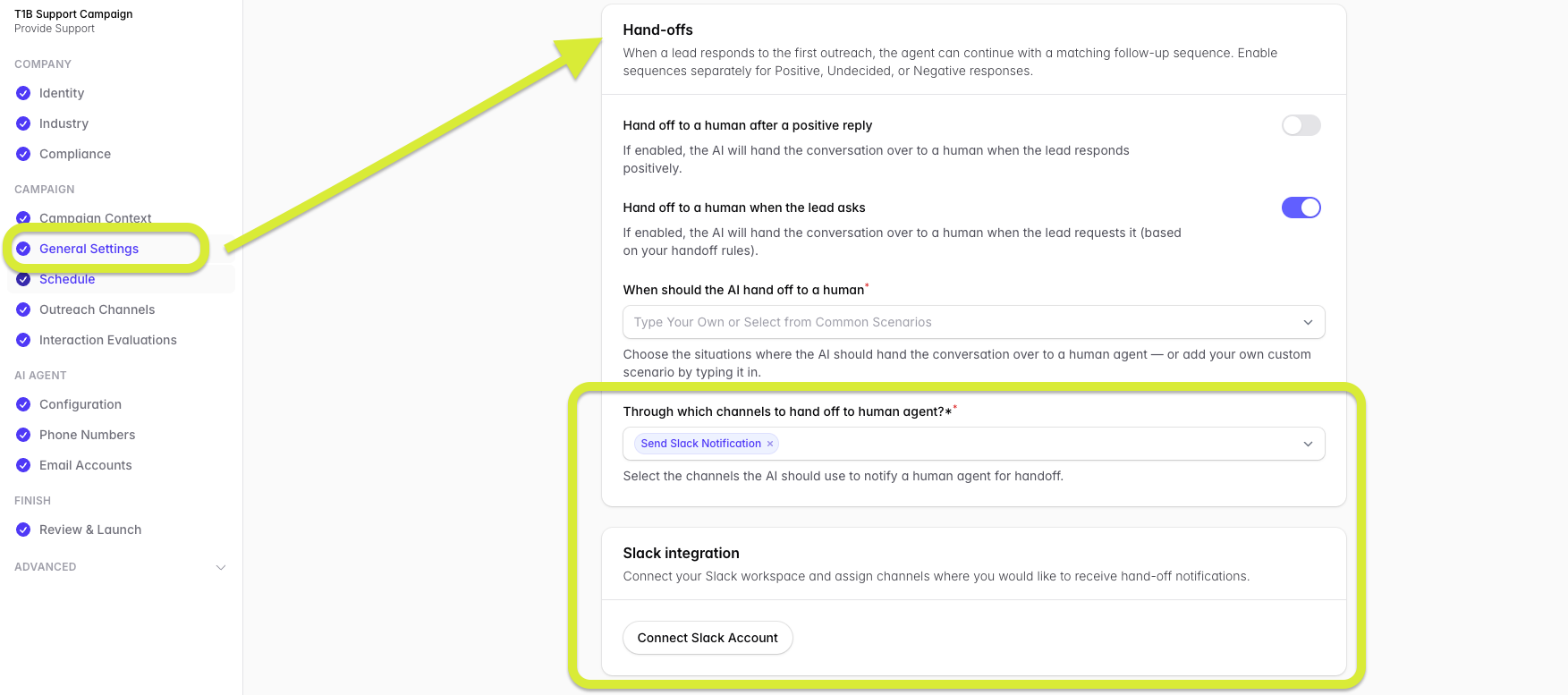
To use Slack for Level 1 Support campaign handoffs, you'll need to connect your Slack account through the General Settings in your dashboard. It is recommended to create a dedicated public Slack channel specifically for these handoffs to keep things organized.
How to Connect Slack
Navigate to General Settings in your dashboard.
Locate the "Through which channels to hand off to human agent?" section.
Click the Connect Slack Account button.
Once your Slack account is connected, you will be presented with a short guide walking you through how to set up and connect your dedicated Slack channel for handoffs.