Intro to Campaign Instructions
Last updated: July 8, 2026
Campaign Instructions are campaign-specific details that help the AI agent understand how to handle this particular campaign.
Instead of one large instruction field, this step is split into smaller contextual sections. This makes the setup easier to complete by clearly guiding users on where to add each type of campaign context, while helping the AI agent use the right information in the right situation.
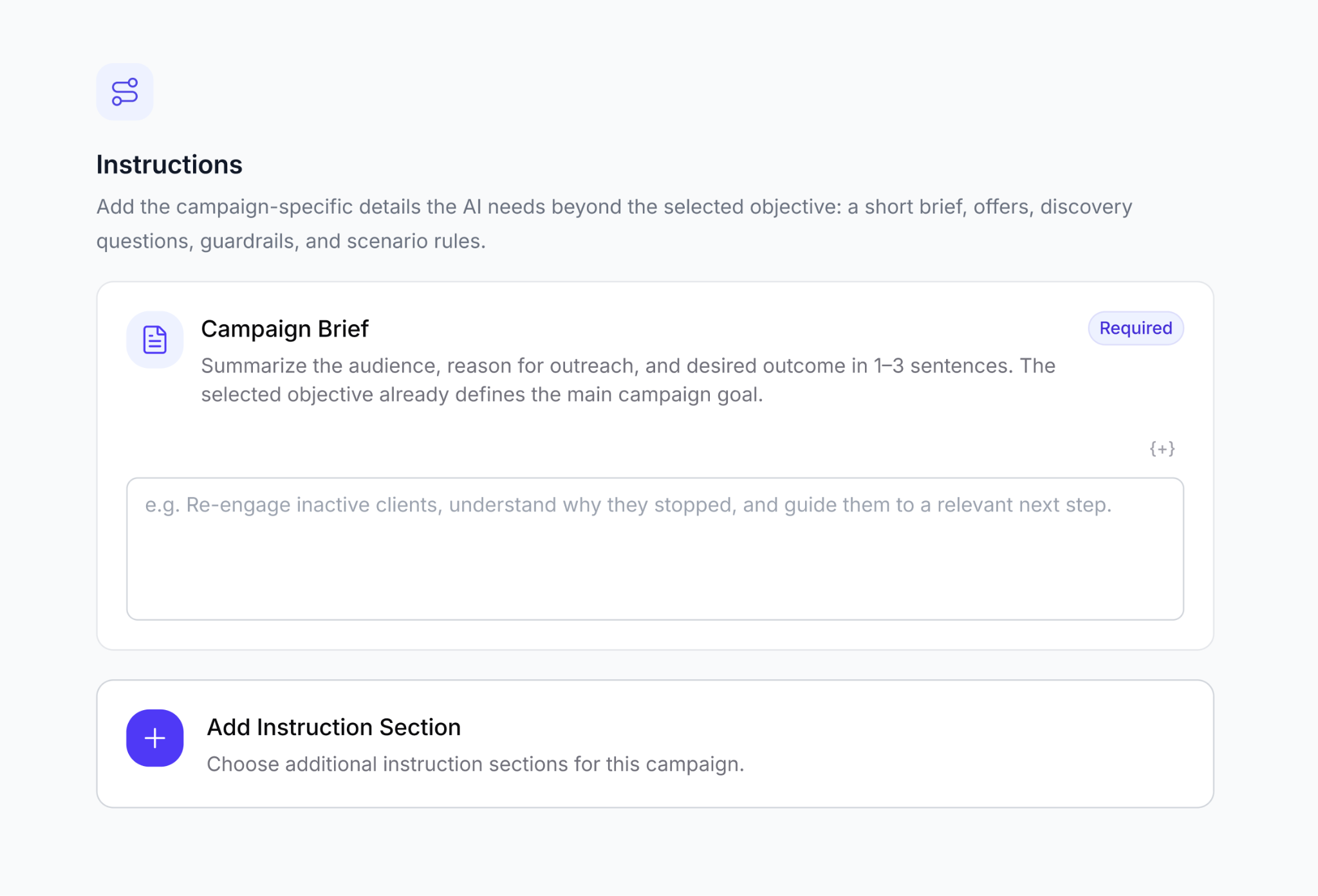
Selected instruction sections may change depending on the selected campaign type. For every campaign type, you will always see Campaign Brief, it is a Required and main field to be filled. For sales-related campaigns, you may also see Offer & Incentives with discount code fields.
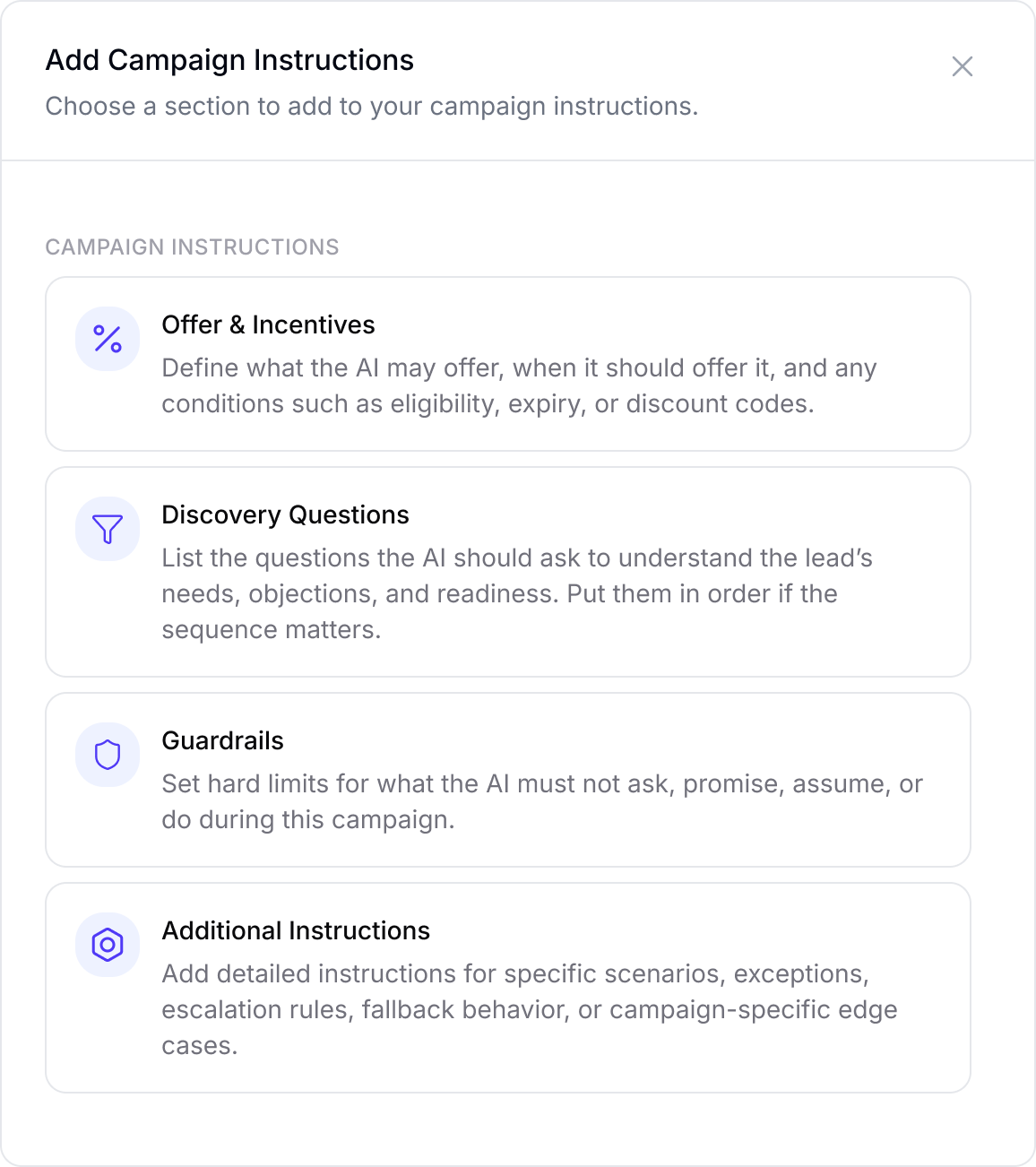
To add more instruction sections like Offer & Incentives / Discovery Questions / Guardrails / Additional Instructions, click Add Instruction Section. A modal will open with the available sections for this campaign type. Select the section you want to include, and it will be added to your campaign instructions.
Campaign Brief
Campaign Brief is Required for every campaign.
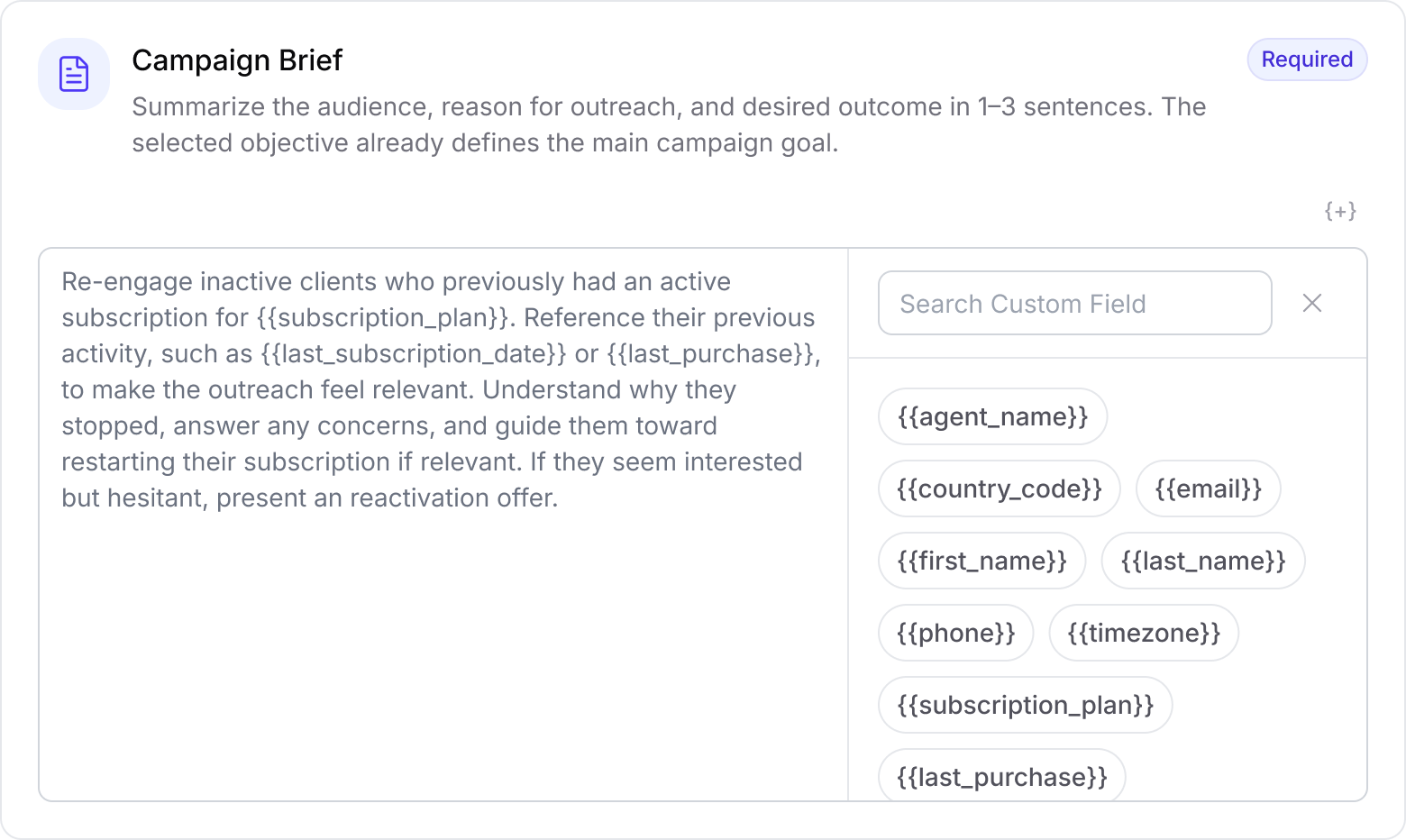
Use this section to summarize the audience, reason for outreach, and desired outcome in a few clear sentences. No need to fill long instructions as our Agent is trained to handle conversations for best outcomes itself.
As selected campaign objective already defines the main goal, the Campaign Brief should focus on the specific context that agent needs for this campaign.
You can include:
Who the agent is contacting
Why the lead is being contacted
What outcome the agent should guide the lead toward
Any important campaign-specific context
Anything the agent should keep in mind during the conversation
Example
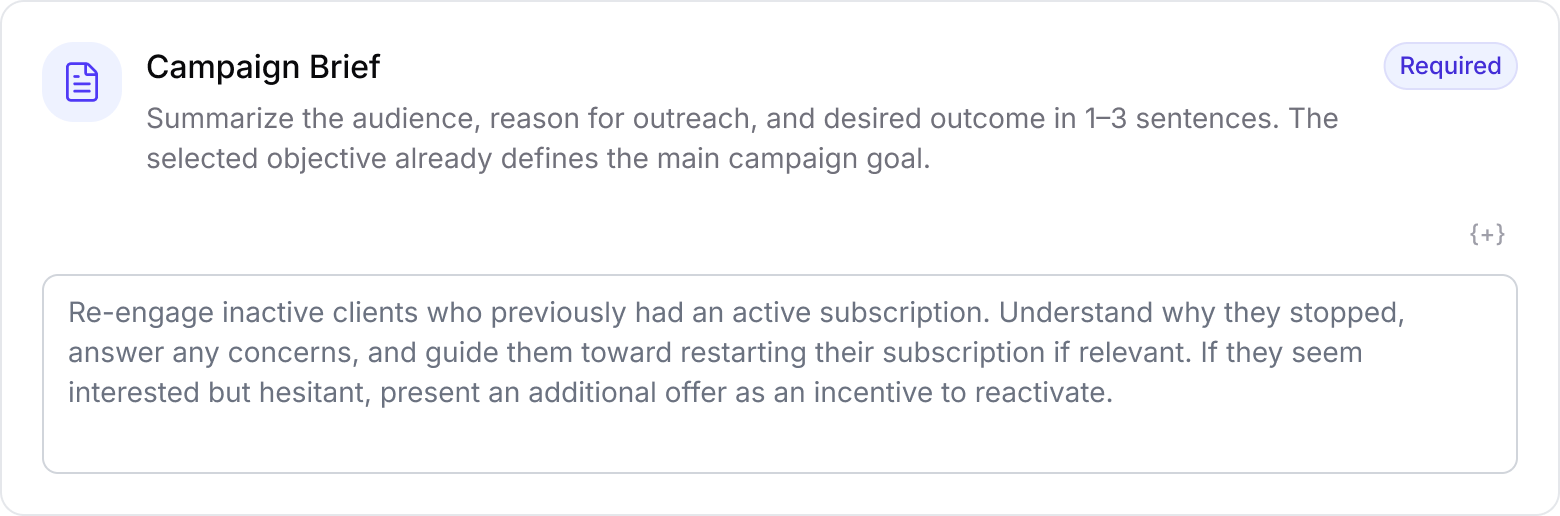
Keep this short and practical. The agent needs enough context to act confidently, not a long script carved into marble.
Offer & Incentives
Offer & Incentives appears for campaign types where an offer, promotion, discount, or incentive may be relevant.
Use this section to describe the offer itself, when the AI should mention it, and any conditions that apply.
You can include:
What the offer is
When the agent should present it
Who is eligible for the offer
What the offer applies to
Expiry, limitations, or usage conditions
How the offer should be positioned in conversation
Adding Discount Codes
If the campaign uses a discount code, add it only in the dedicated Discount Code field.
Do not write the actual discount code inside:
Campaign Brief
Offer & Incentives
Discovery Questions
Guardrails
Additional Instructions
Any other campaign instruction field
The AI agent will automatically use the specific discount code added to the campaign.
Example
Keeping the code in one dedicated place prevents outdated codes, mismatched offers, or conflicting instructions. The offer description explains what the incentive is, while the Discount Code field defines the exact code the agent should use.
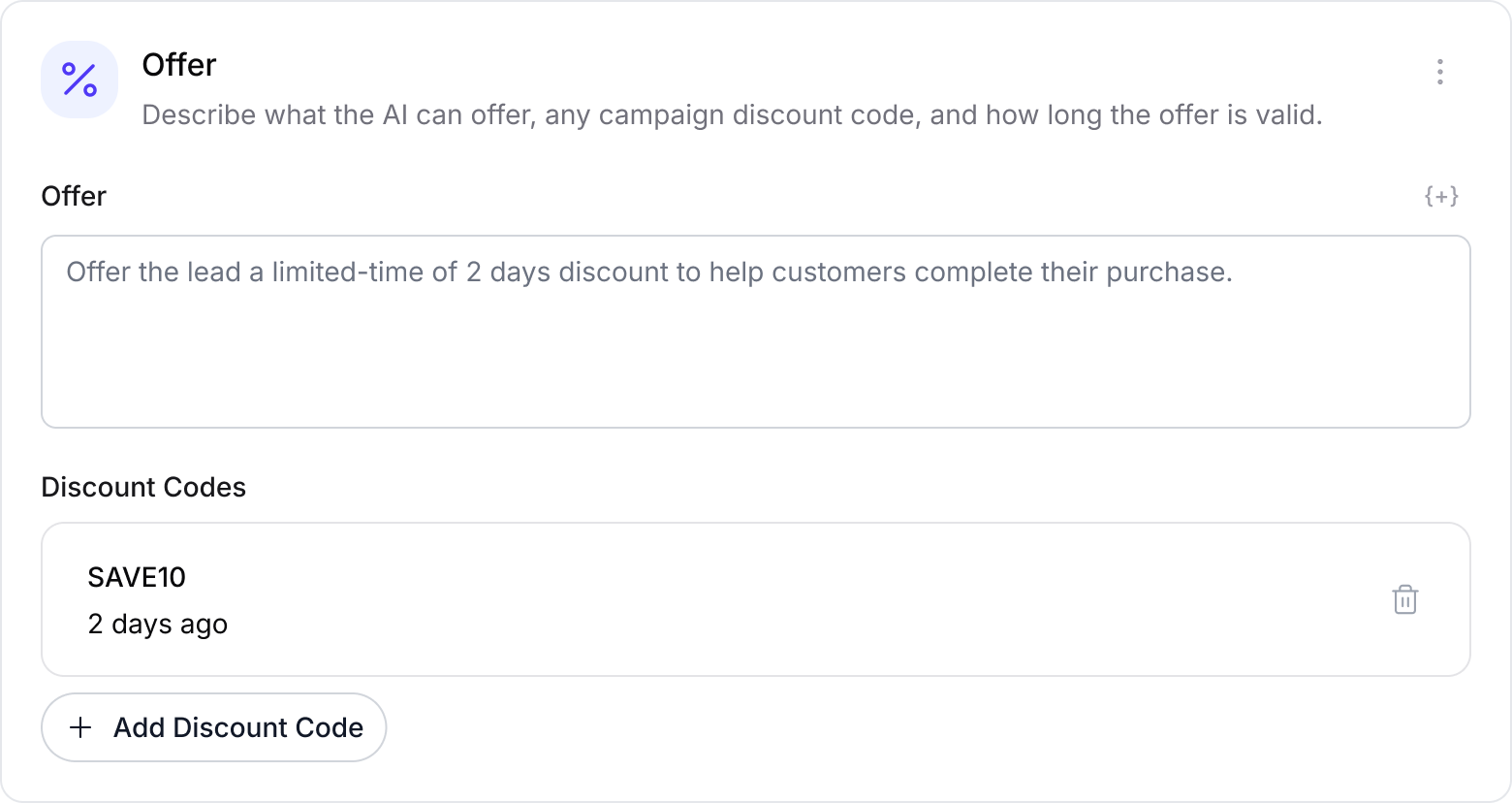
If the campaign uses multiple discount codes, add each code separately and describe in offer instructions when each one should be used. For example, specify which code applies to a specific offer, lead type, product, condition, or scenario.
Discovery Questions
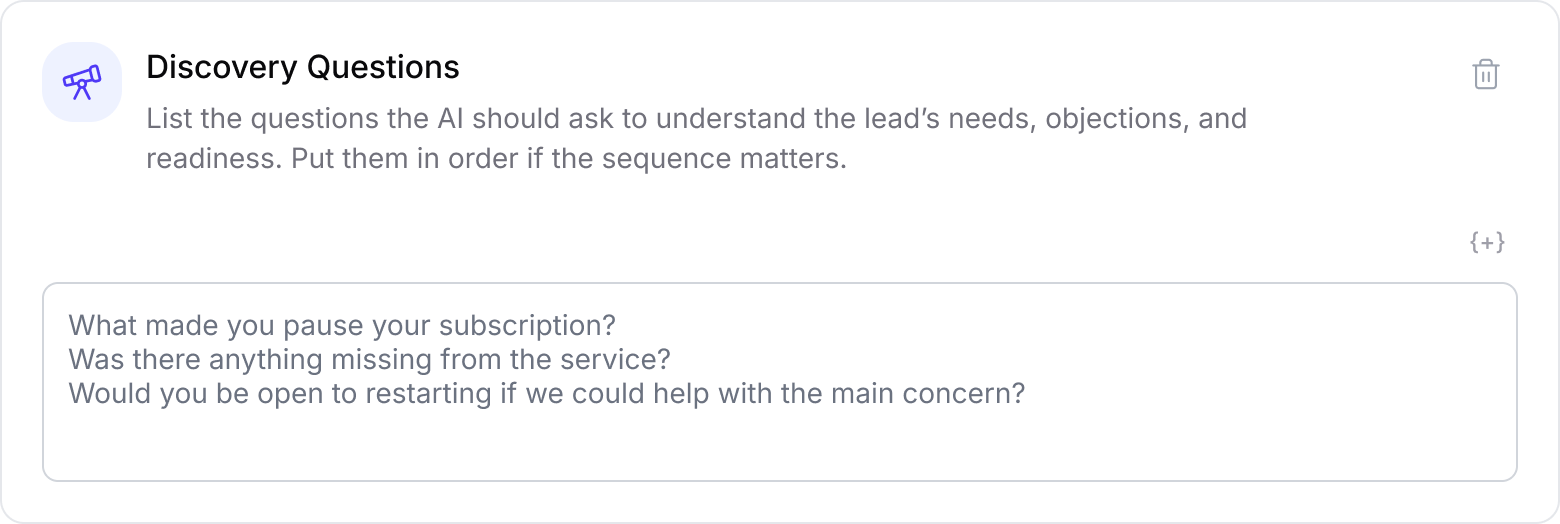
Use Discovery Questions to define what the AI agent should ask in order to better understand the lead’s needs, objections, intent, or readiness.
You can use this section in two ways:
Add specific questions the agent should ask.
Add short instructions explaining how the agent should use the questions.
The agent does not always need to ask every question. You can guide it to ask only the most relevant ones depending on the conversation.
What to Include
You can include:
Questions the agent should ask the lead
Instructions on when to ask them
Instructions on how many questions to ask
Follow-up questions for specific lead replies
Questions that help qualify the lead
Questions that help understand hesitation, objections, or purchase intent
Example
Guardrails
Use Guardrails to define what the AI must not ask, promise, assume, or do during this campaign.
This section is useful for hard limits, compliance requirements, sensitive topics, or anything the agent should avoid.
You can include:
Claims the agent must not make
Topics the agent should avoid
Promises the agent is not allowed to give
Eligibility limits
Escalation rules
Legal, pricing, or policy restrictions
Any behaviour that would be inappropriate for this campaign
Example
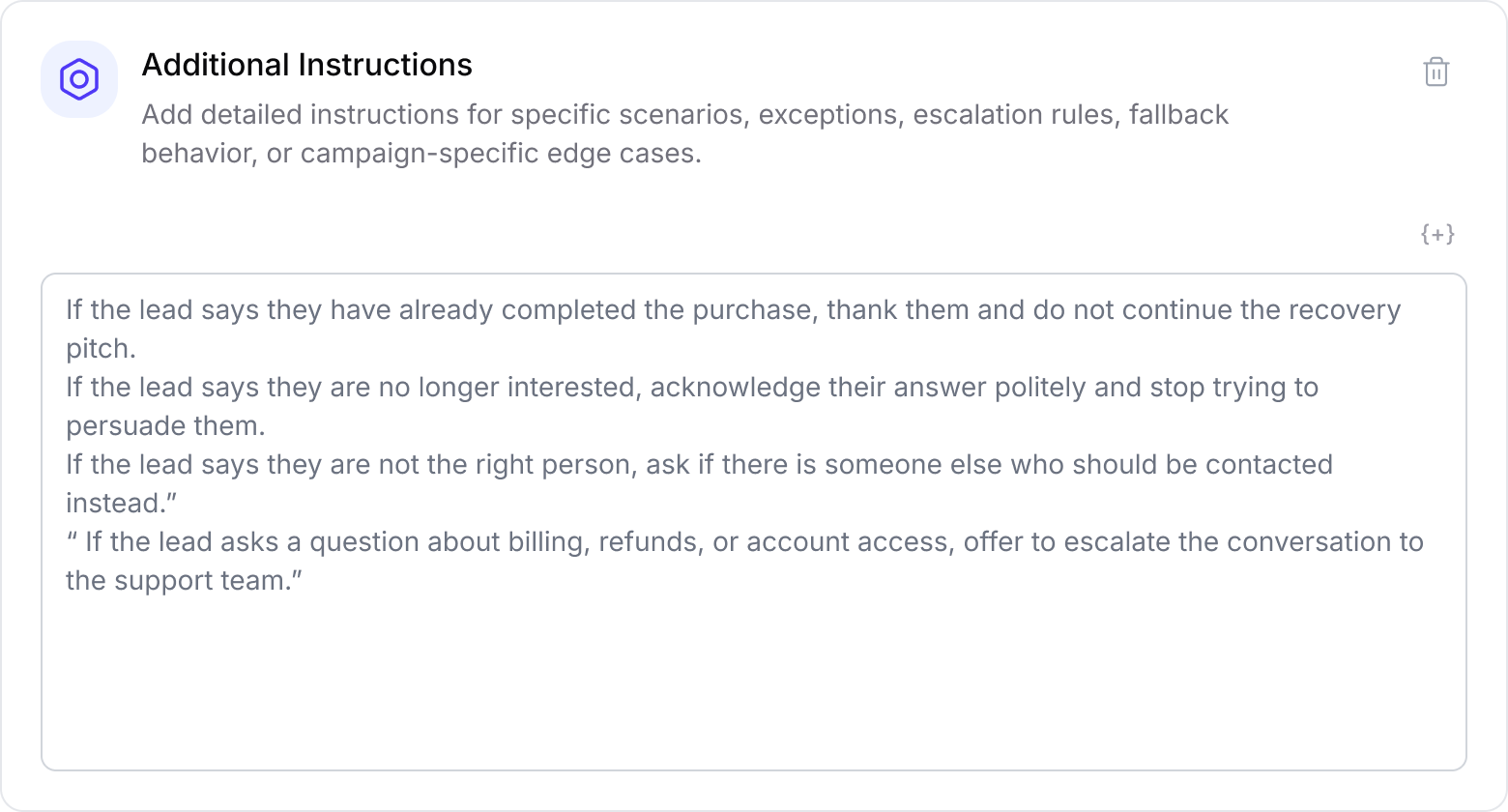
Guardrails should be specific. “Be careful” is a bit foggy fo agent. “Do not promise delivery dates” is a proper fence.
Additional Instructions
Use Additional Instructions for campaign-specific details that do not fit into the other sections.
This can include exceptions, fallback behaviour, escalation logic, special scenarios, or extra context the agent should know.
You can include:
What to do if the lead asks something unexpected
When to escalate to a human
How to handle unclear replies
Special rules for this campaign
Edge cases that only apply here
Example
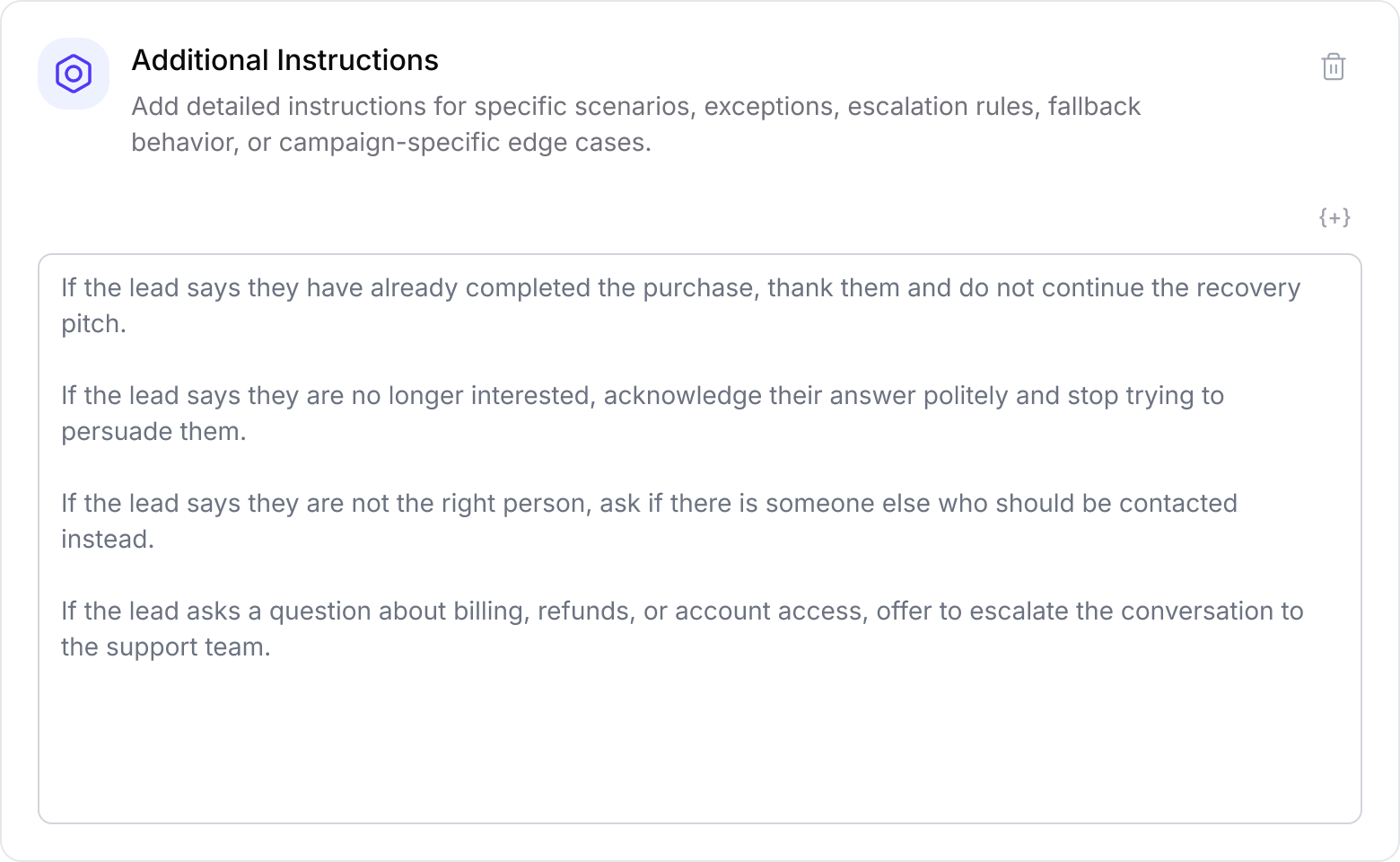
Use this section for genuinely extra context. If the information fits into Campaign Brief, Offer & Incentives, Discovery Questions, or Guardrails, place it there instead.
Best Practices
Write instructions that are clear, specific, and easy to scan.
A good campaign instruction setup should:
Keep the Campaign Brief short and focused.
Put offer details in Offer & Incentives.
Add discount codes only in the dedicated Discount Code field. Use the Offer & Incentives section to explain when and how each discount should be used.
Use Discovery Questions for the questions the agent should ask, including instructions on how or when those questions should be asked.
Use Guardrails for strict limits on what the agent should and should not do. Be specific and do not leave room for guessing.
Use Additional Instructions only for exceptions, fallback behaviour, escalation rules, or extra campaign-specific scenarios.
Avoid repeating the same information across multiple sections.
When relevant, personalize campaigns with Custom Fields from your Lead Source. These can include imported lead data such as subscription status, last order, location, or any other useful details. Custom Fields help the AI agent tailor conversations to each lead and make the outreach feel more relevant.
This structure helps the AI agent understand the campaign clearly without turning the setup into a prompt swamp.