AI Agent Configuration: Name, Voice & Languages
Last updated: July 16, 2026
This section controls how the agent sounds, its name, and the settings it runs with — language, sign-off, and email signature.
Name
Choose a name that is easy for the agent to pronounce. It’s also best to pick a name available on your email domain, so Outcraft AI can send emails on its behalf.
Languages
Select a default language for all outgoing conversations. You may select up to eight languages:
US English (the most advanced language model)
UK English
German
Portuguese
Brazilian Portuguese
Italian
Spanish
Lithuanian
How language selection behaves:
If only one language is selected, it is the default for all leads.
If multiple languages are selected, the agent speaks the language associated with each lead’s country, based on their phone number.
Each language has multiple audio profiles, and you can set a different agent name per language profile.
Limitations: the agent cannot change languages mid-conversation. It also cannot call in a second language in a country that has an available primary language (e.g. if US English is default and Spanish is configured, the agent cannot call an identified Spanish speaker in the United States).
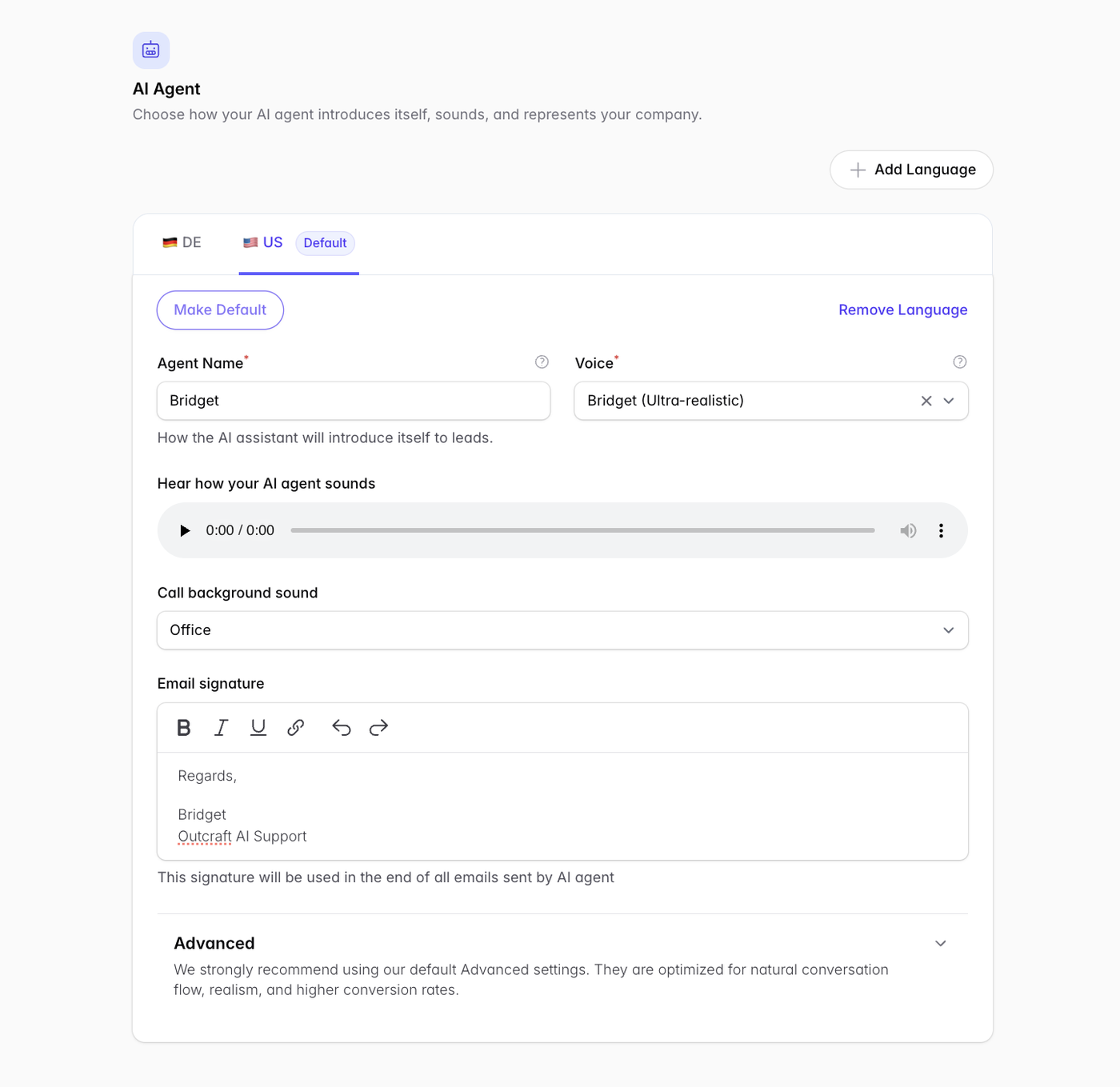
Call background sound
Select Office from the dropdown to give the agent’s calls call-center-like background audio.
Email signature
Configure the signature appended to every email the agent sends from Outcraft.
Advanced settings
Fine-tune the agent’s personality, greeting phrase, whether it may proactively reveal it is an AI, and whether it must leave a custom voicemail message when a lead doesn’t pick up.
Next steps
Phone numbers → Adding Phone Numbers
Email accounts → Connecting Email Accounts