Creating A/B Test Campaigns
Last updated: July 16, 2026
To test the efficacy of two campaigns with the same objective and same lead source, create an A/B Test and see which performs best.
Requirements
Both variants must have the same campaign objective and the same campaign lead source.
Setup
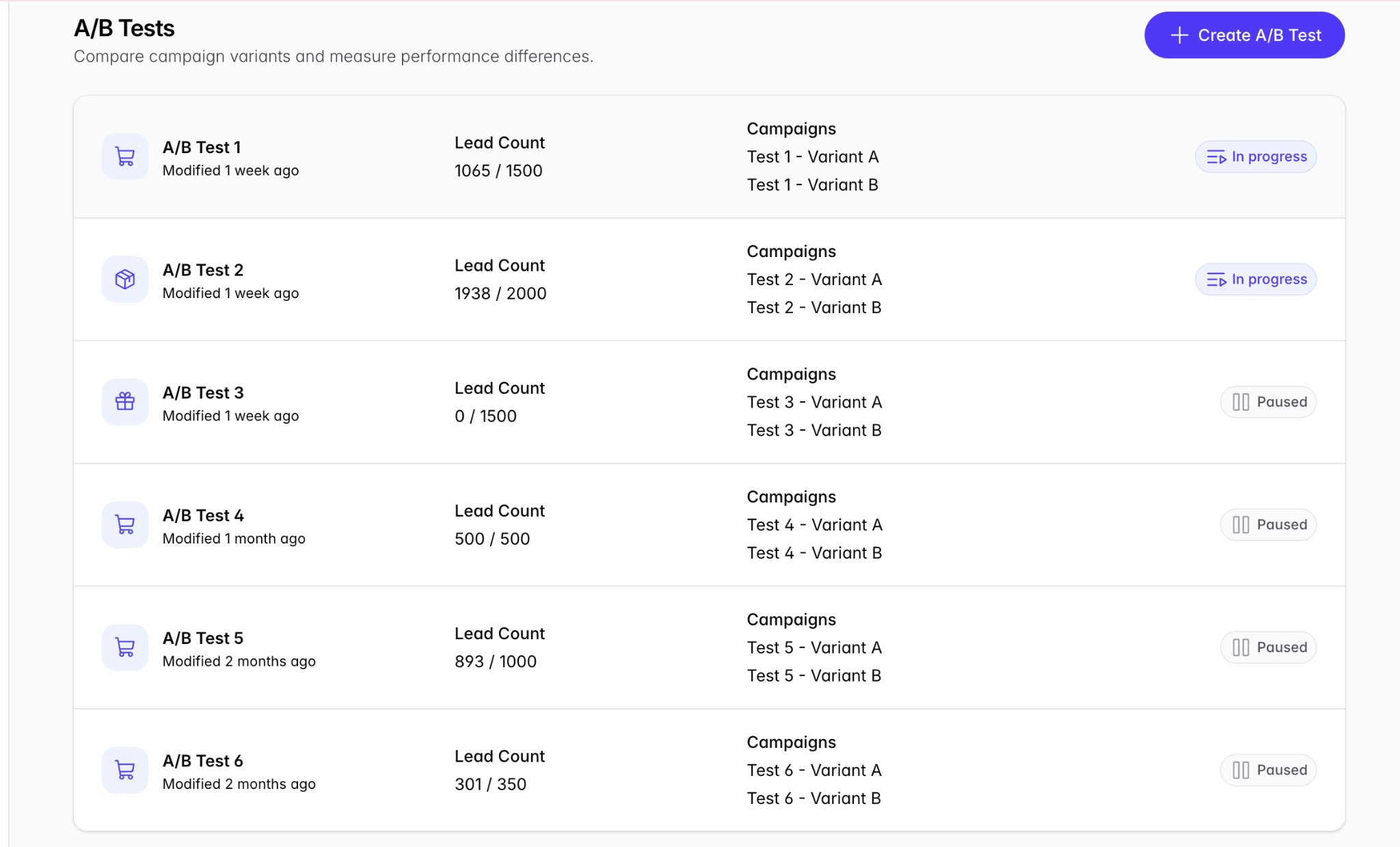
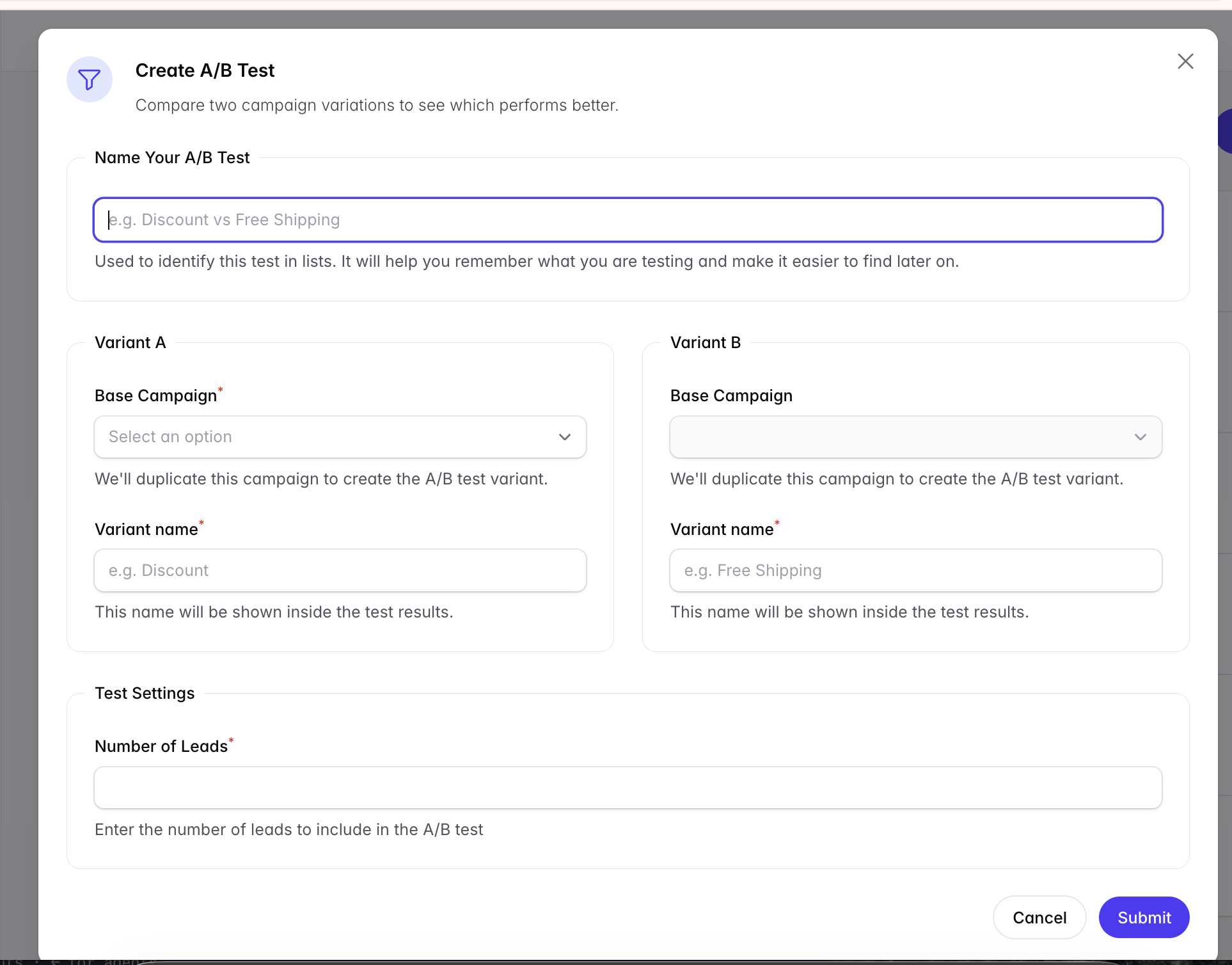
Click + Create A/B Test.
Name the A/B Test.
Select the Base Campaign for Variant A and give it a unique name.
Select the Base Campaign for Variant B and give it a unique name.
Enter the number of leads to be dispatched for this A/B test.
Submit.
Comparing results
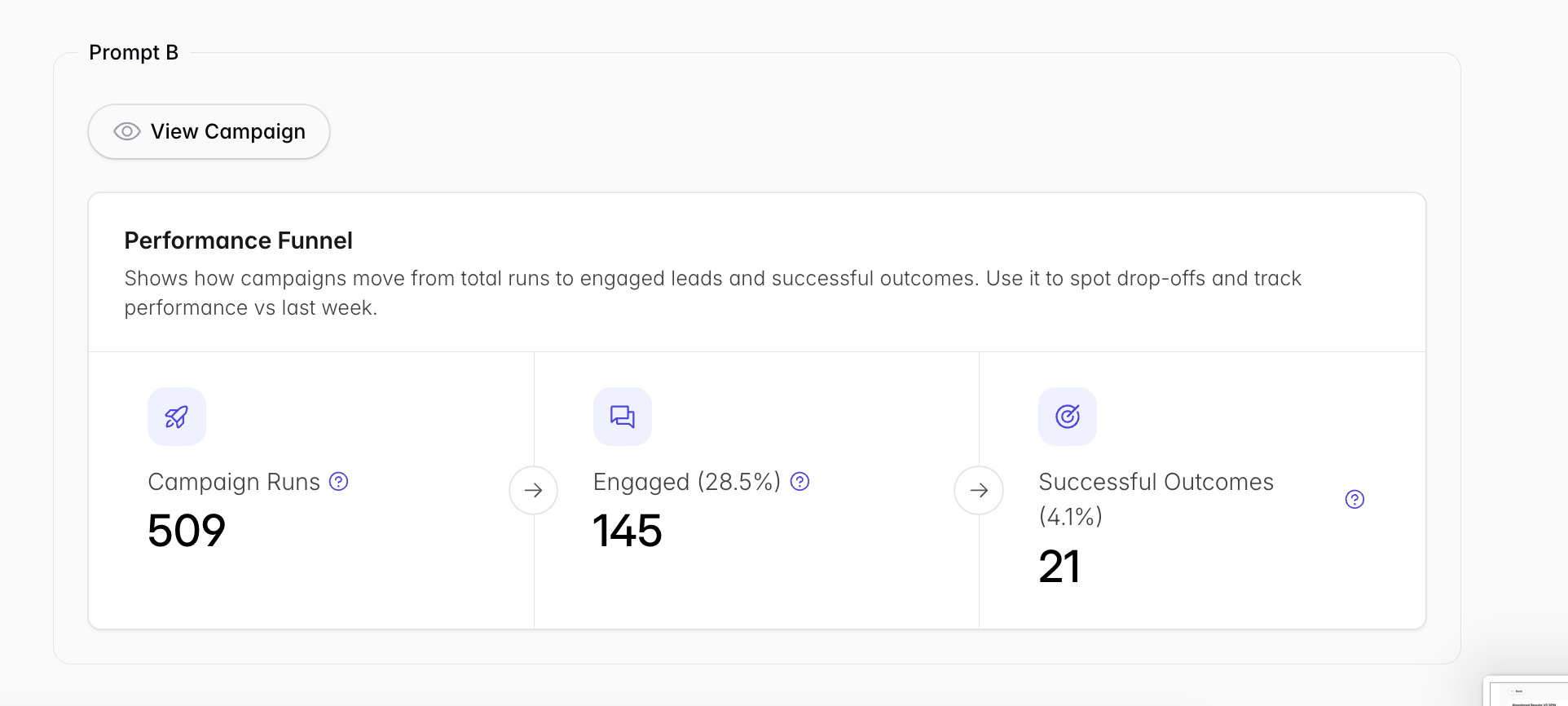
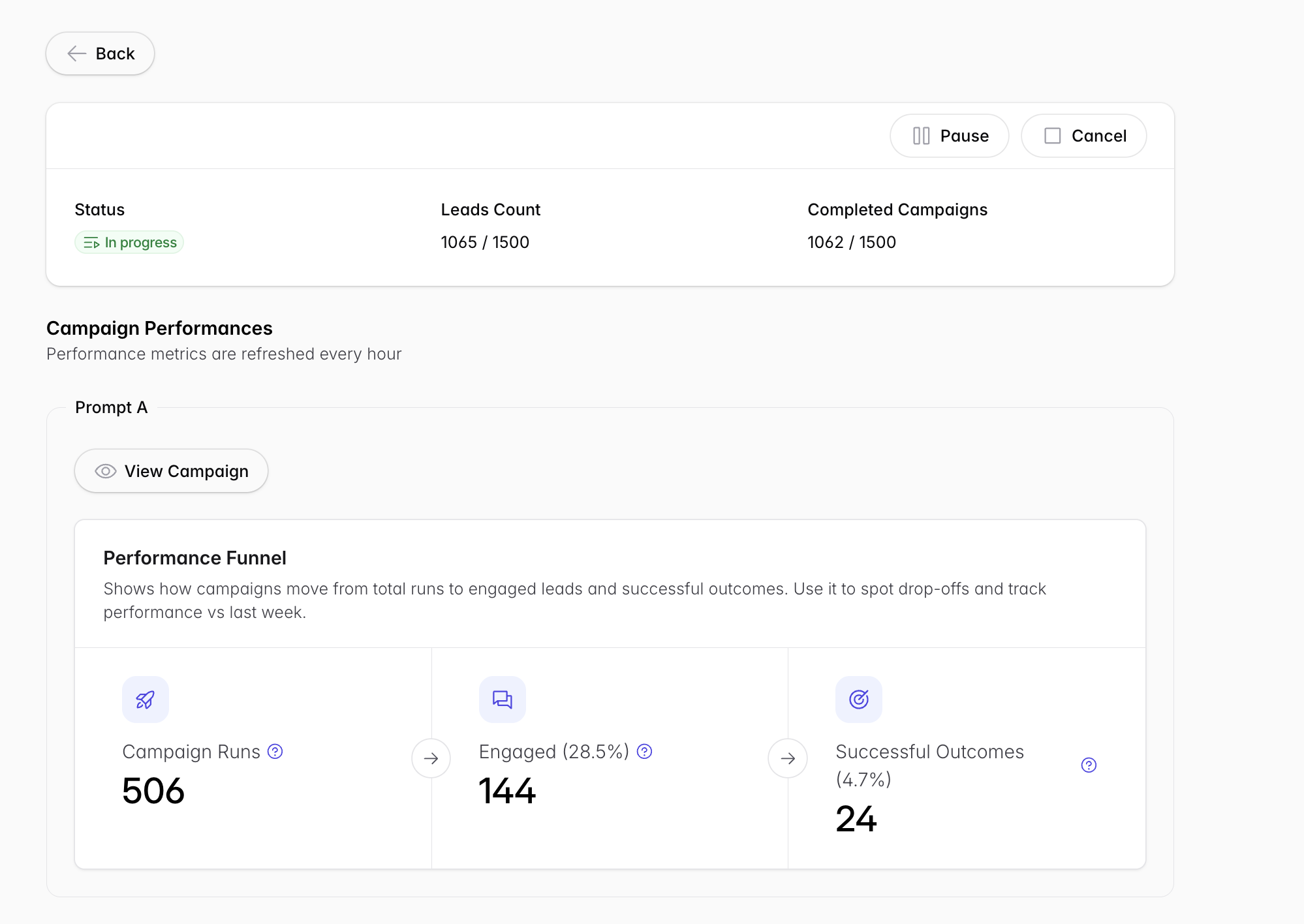
Once the A/B Test is live, click its row to compare results. You’ll see statistics similar to the Analytics page for each variant, plus current progress on the number of leads dispatched.
Related
Metric definitions → Understanding Your Analytics