Branded calling
Last updated: October 7, 2026
Branded calling shows your business name on the lead's phone screen when the AI agent calls. This article explains what branded calling does, what you need, and how to request it.
What branded calling does
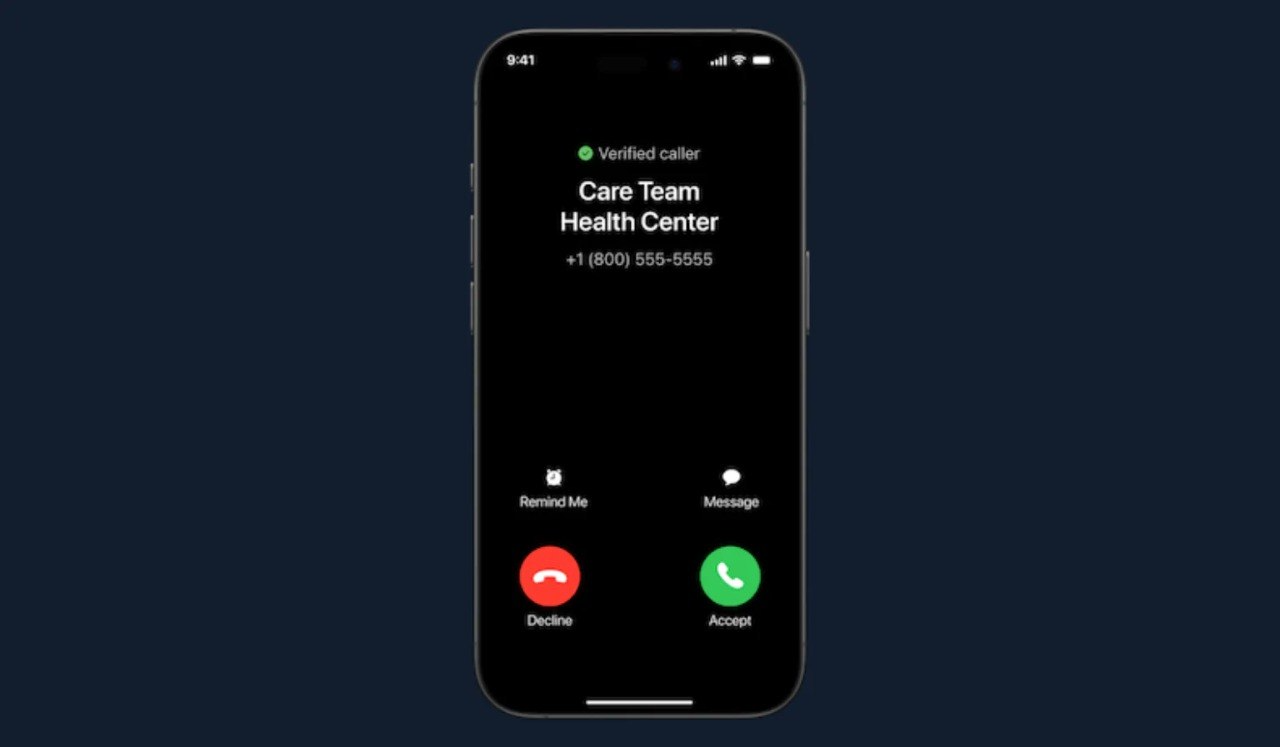
Without branded calling, the lead sees only a phone number. With branded calling, the lead sees your business name and the number. The name can be your brand name, for example "Brand", or your website name, for example "Brand.com".
Branded calling is for the major US mobile phone carriers. Outcraft applies for it on your behalf.
The example below shows a sample business, Care Team Health Center. The screen has a Verified caller label. Your calls show your own display name.
Benefits
The lead sees your business name, not only a number.
The lead can recognize the call before answering.
A recognized name can help pick-up rates in the United States.
Before you request it
Branded calling applies to your entire account. You cannot turn it on for one campaign.
Warning: One account can have one branded calling name. If you run several brands on one account, you cannot have branded calling.
Before you start, prepare these items:
The one display name that you want leads to see.
Proof that you have the right to use the name.
A person who can sign agreements for your organization.
What the form asks for
The form is a Letter of Authorization. It asks for these details:
Display name
Legal business name
Contact name, email, and job title
Physical service address
The form already shows Twilio as the current telecommunications provider. You tick one box to authorize Twilio to use the numbers that you submit.
The signer confirms the authority to sign for your organization. The signer also confirms the right to use the display name. By signing, the signer lets Twilio and its designated partner agents validate, vet, and verify your organization. Branded calling then covers only the approved numbers.
Attachment: Branded calling Letter of Authorization form
How to request branded calling
Download the Letter of Authorization form.
Complete each field.
Tick the authorization box.
Sign and date the form with a handwritten signature or an e-signature, for example Docusign. Use the format MM/DD/YYYY for the date.
Contact the Outcraft team and send the completed form.
The Outcraft team applies for branded calling for your account. The app has no setting for branded calling, so you cannot turn it on yourself.
Related
Compliance processing and the "Operating in the US or Canada?" field
Adding Phone Numbers to Your Campaign