Building Your Outreach Sequence & Follow-Up Sequences
Last updated: July 16, 2026
Outreach Sequence
The Outreach Sequence is the motion used to contact leads. Once a lead’s goal is reached (meeting booked, sale completed, etc.), the sequence stops. If a follow-up condition is met instead (e.g. the lead is interested but undecided), the matching Follow-Up Sequence triggers.
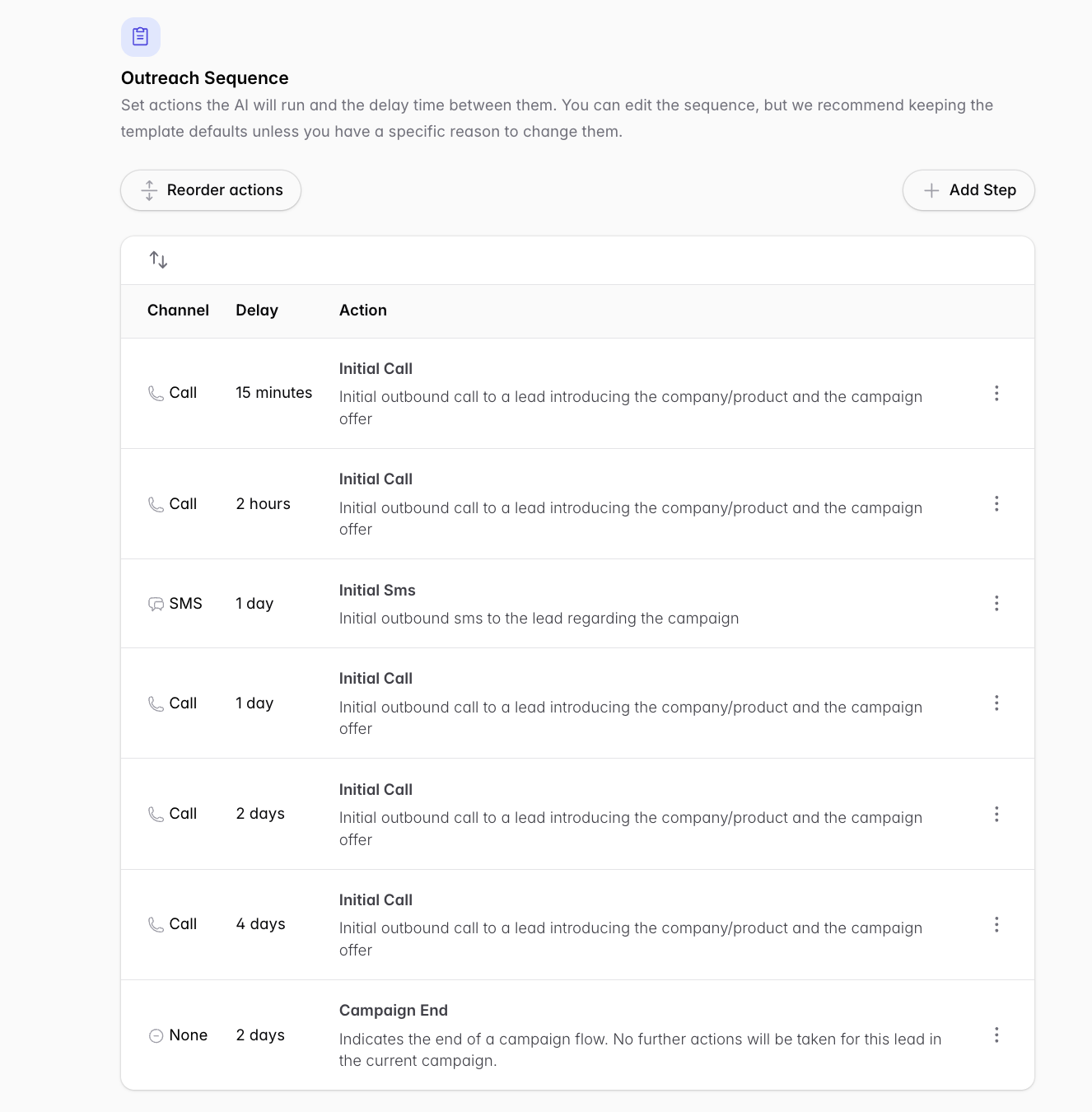
Timing is cumulative. Each step’s delay is added to the previous step. Example: a call scheduled “2 hours” after a 15-minute initial call happens 2 hours 15 minutes after the lead is triggered.
You can re-arrange the sequence however you like and include as many outreach methods as needed.
The default sequence
Out of the box: call 15 minutes after the trigger → if no answer, call again ~2 hours later → an SMS the next day, followed ~3 minutes later by a call (so the lead knows who’s reaching out) → then calls on day 1, day 2, and so on. If the lead answers, the sequence stops.
To modify a pre-filled outreach, click the three vertical dots on the right of the column and click Edit.
Follow-Up Sequences
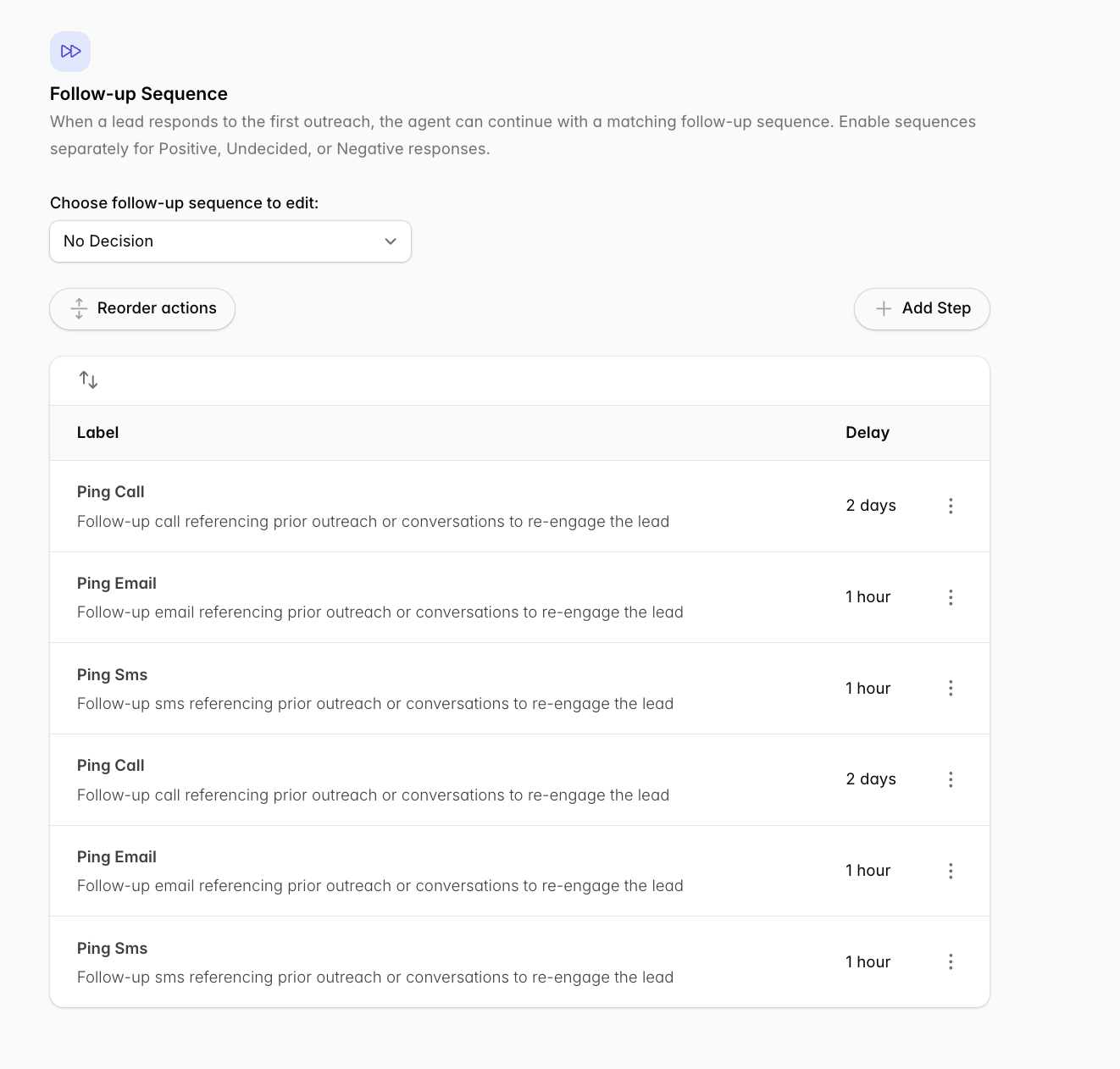
Separate sequences for Positive, No-decision, and Negative replies (enable each trigger in General Settings first → General Settings guide).
Pick which sequence to edit from the dropdown. Each is a list of Ping Call / Ping Email / Ping SMS steps with their own delays, referencing the prior conversation to re-engage the lead.
You can use all three Follow-Up Sequences at the same time.
Related
Coordinating calls and emails to avoid conflicts → How do I coordinate abandoned checkout calls and emails to avoid messaging conflicts?
What happens if a lead doesn’t respond → existing FAQ article