Setting Up Interaction Evaluations
Last updated: July 16, 2026
Interaction Evaluations define what the agent should detect or extract from each conversation. They power your insights and analytics.
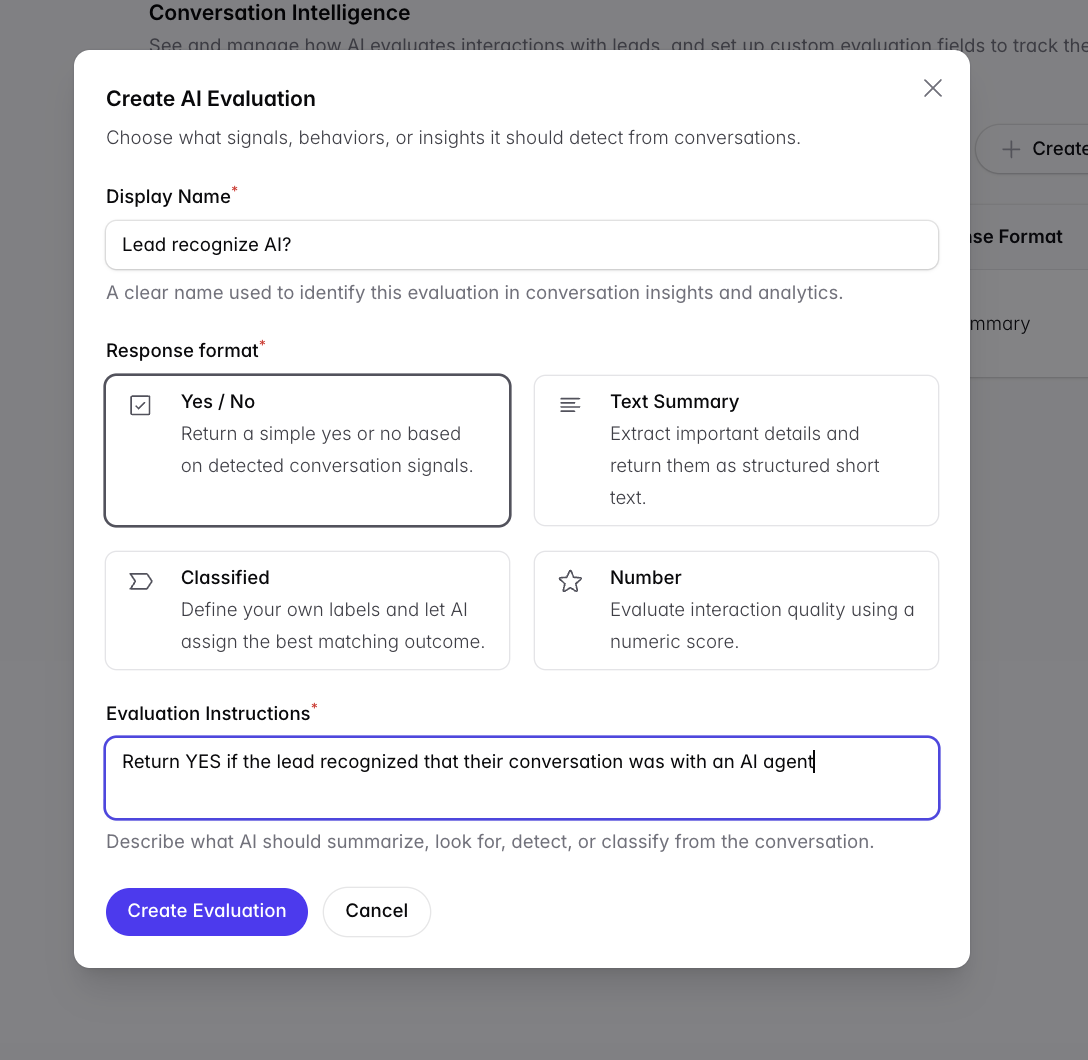
Create evaluations with a response format — Yes/No, Text Summary, Classified, or Number — plus instructions (e.g. “Return YES if the lead recognized they were talking to an AI agent”).
Popular use cases
Did the lead speak English? (Yes/No)
Did the lead realize they were talking to an AI? (Yes/No)
What was the main objection? (Classified: price / timing / safety / other)
Did they hit checkout friction? (Yes/No)
Did they mention a competitor, and which? (Text)
Interaction summary (Text Summary)
Recommended setup
Always include a free-text summary plus several Yes/No, Classified, and Number fields — the structured fields let analytics roll answers into counts and percentages.
One client discovered 20% of cart abandoners were blocked by checkout friction rather than hesitation — an insight that came straight from a Yes/No evaluation.
Watch out: evaluations are not retroactive. Summaries and evaluations are only collected from the date and time you create them. Set them up before launch.
Viewing the results
Results appear in Conversation Intelligence → Talk is Data: Mastering Conversations Intelligence. You can filter on a single question per campaign; if the same question exists in multiple campaigns, select them individually.