Conversation Intelligence: Viewing Evaluation Results
Last updated: July 16, 2026
When you create Interaction Evaluations for a campaign, Conversation Intelligence is where the AI’s answers come together — it manages how AI evaluates interactions with leads and tracks the most important information from each conversation.
Set up evaluations first. Evaluations are defined during campaign setup and are not retroactive — results are only collected from the moment you create them → Setting Up Interaction Evaluations
Using the page
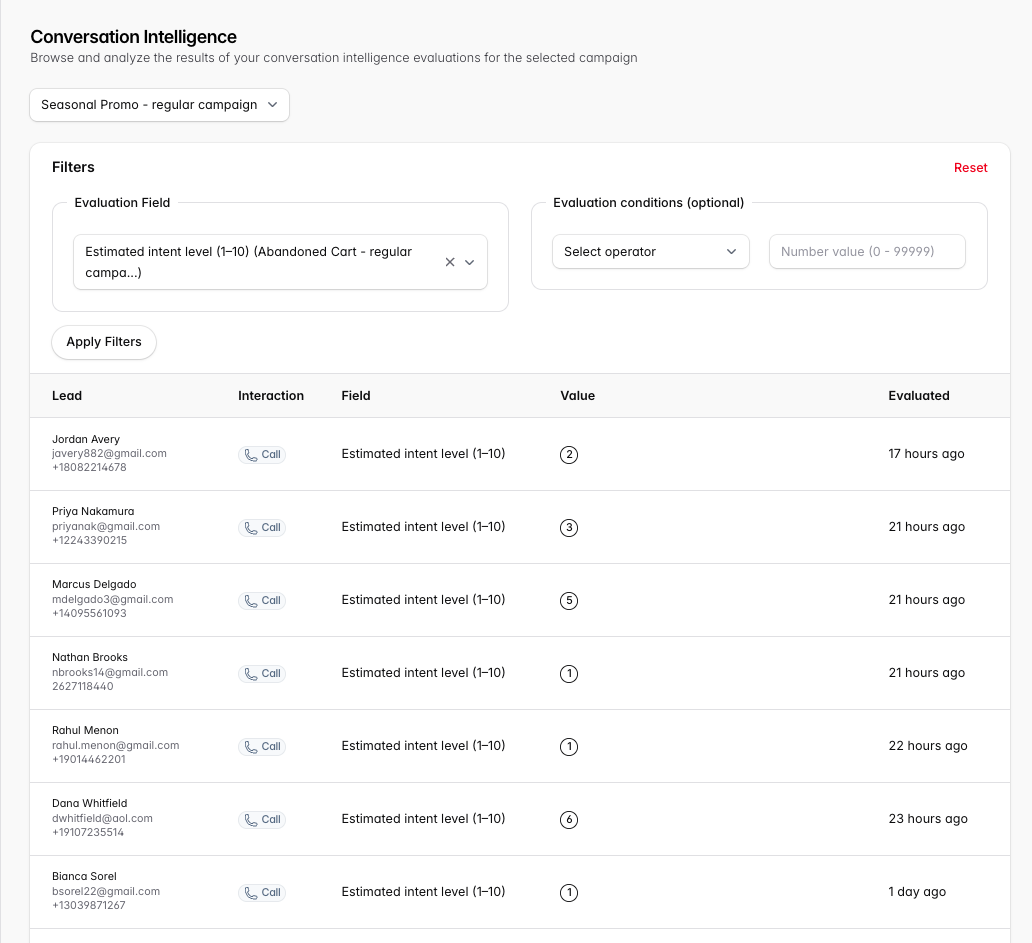
Filter on a single question for an individual campaign.
If you have the same question in multiple campaigns, select each campaign individually.
Click any row to open the Lead Details for that conversation.
Numeric filters
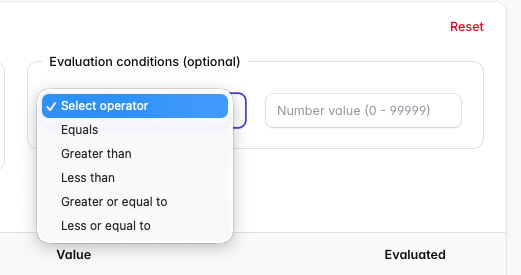
If your evaluation has a numerical operator, you can add the desired range or value to filter results.
This feature is actively being improved with more capabilities.
Related
Campaign-level metrics → Understanding Your Analytics
Reviewing individual conversations → Understanding Lead Statuses, Details & Interactions