Understanding Lead Statuses, Details & Interaction Outcomes
Last updated: July 16, 2026
Once you’re live, this is where you review everything the agent does with your leads.
Lead statuses
Found at app.outcraft.ai/leads:
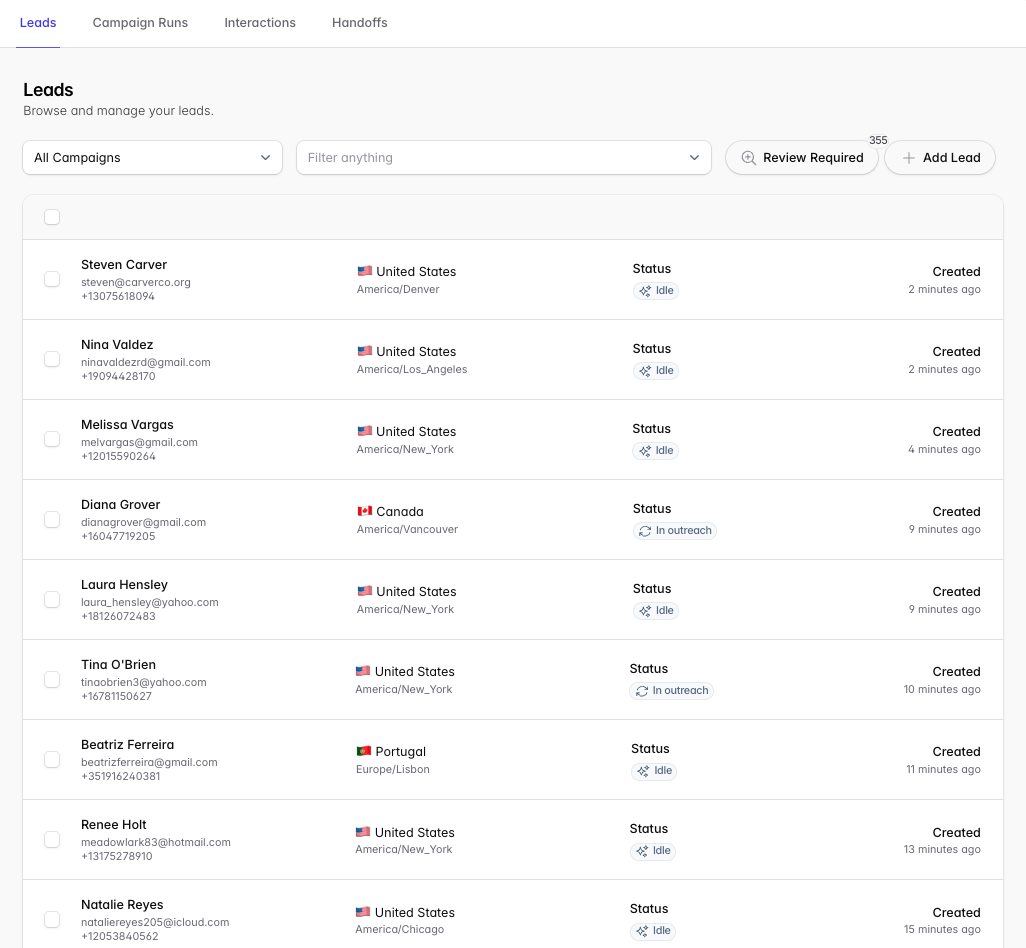
In outreach — Outcraft has begun trying to contact the lead by Email, SMS, Call, or WhatsApp.
Idle — a campaign for this lead has ended; Outcraft is waiting for conditions to be met to reach out again.
Disqualified — the lead is not a good fit (e.g. hostility on a call, or key phrases judged by the agent in text).
Requested not to contact — the lead asked not to be contacted during a call or text conversation.
Blacklist — the lead has abused or misused the AI agent.
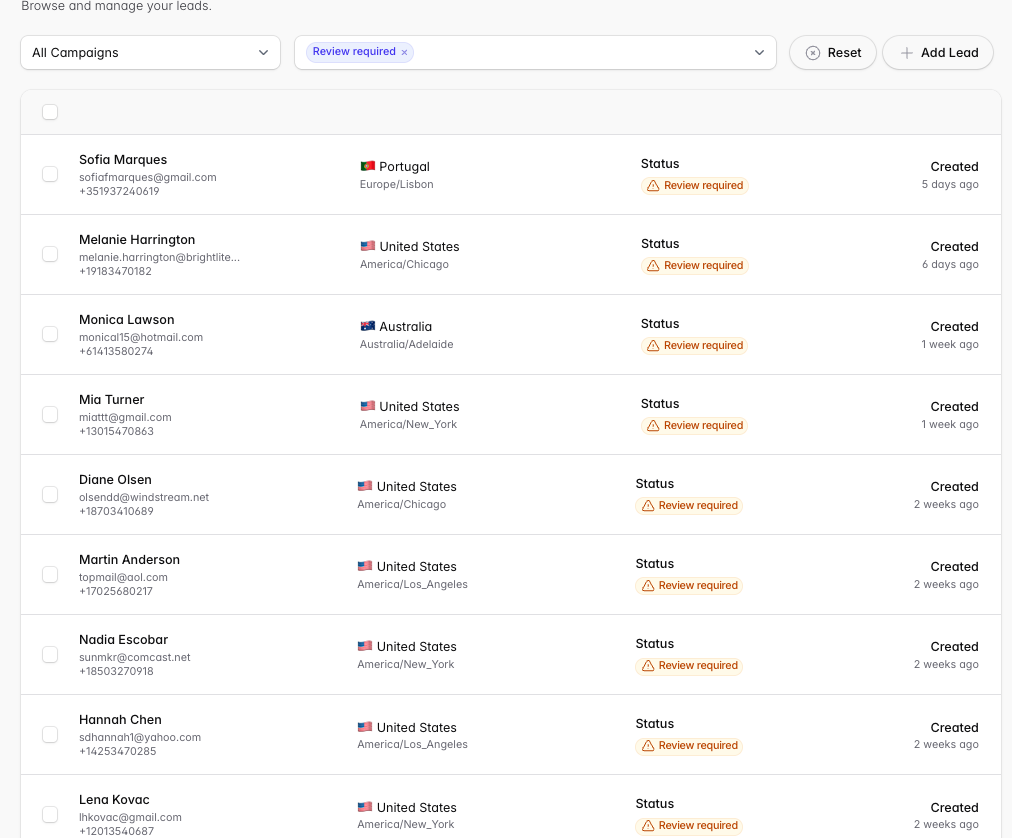
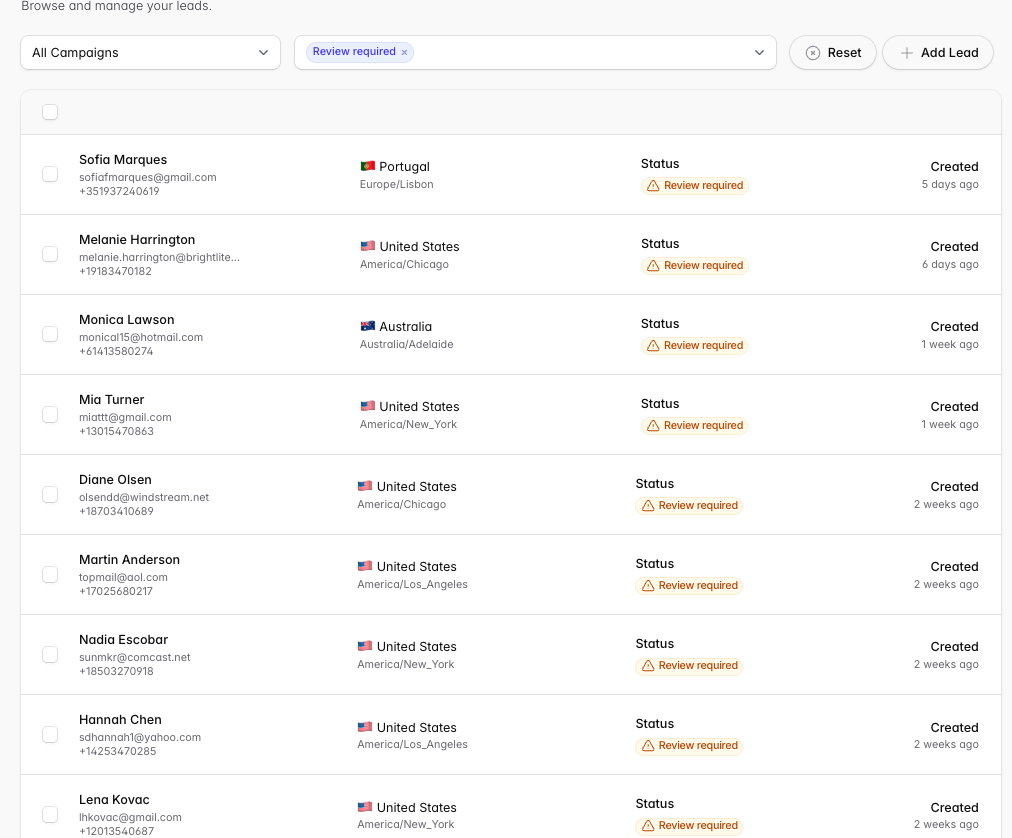
Review required — the agent couldn’t fully discern the intention, problem, or request and needs a human to review. Click Review Required at the top of the page to filter these.
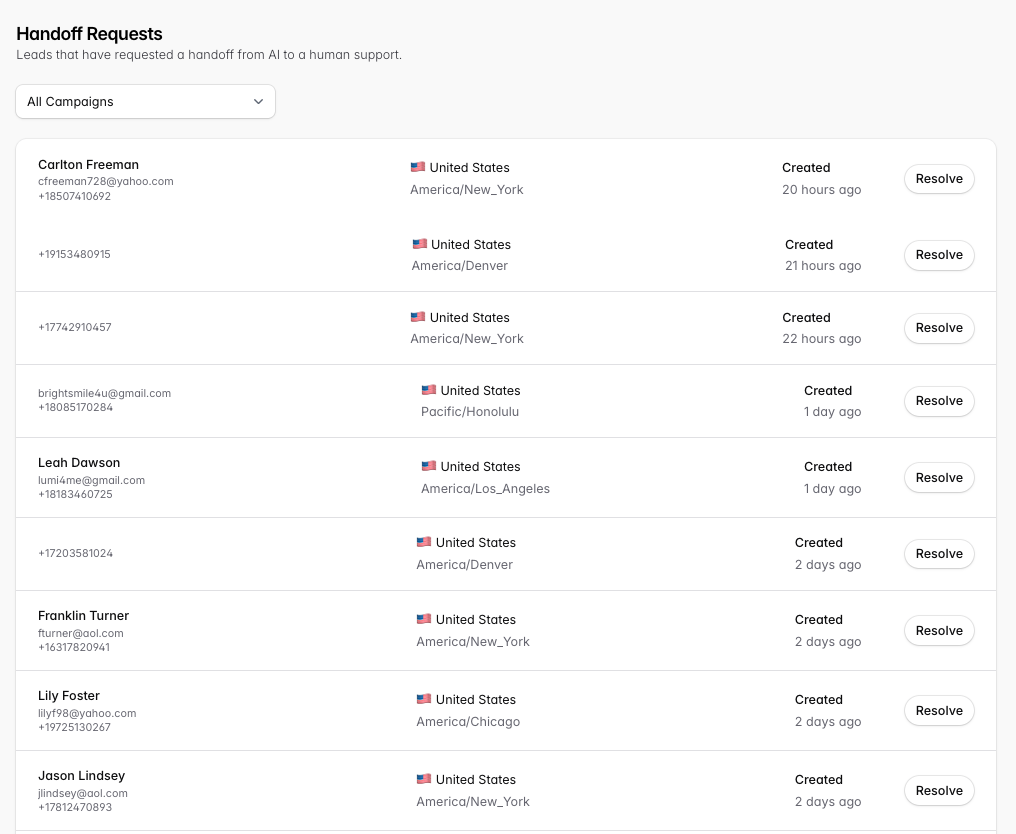
Hand off requested — the lead asked to speak to a person or requested an escalation. Click Handoffs at the top to view them.
Unreachable — the lead’s phone number or email address is not usable by the system.
“Why isn’t my lead being contacted?” The lead hasn’t met the conditions for contact: it may be outside contact hours in their local timezone, they may have requested no contact, or the integration isn’t properly configured.
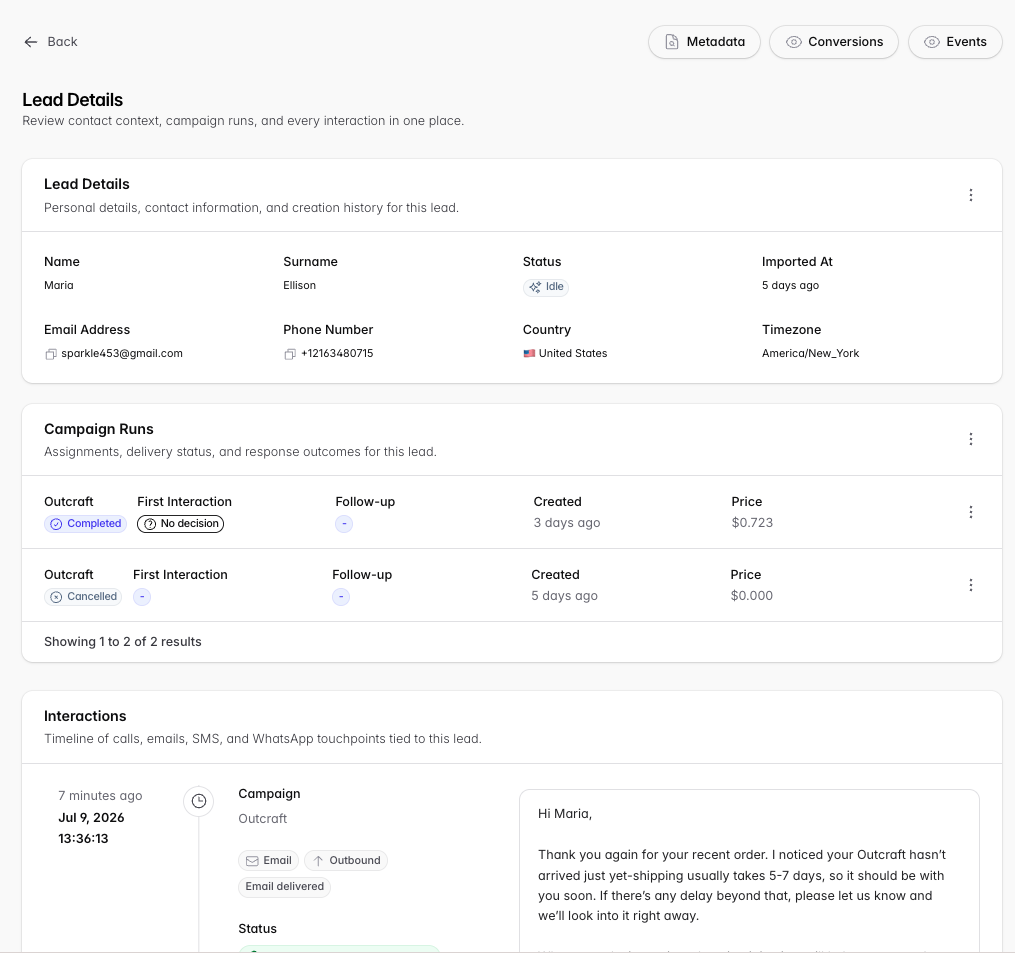
Lead Details
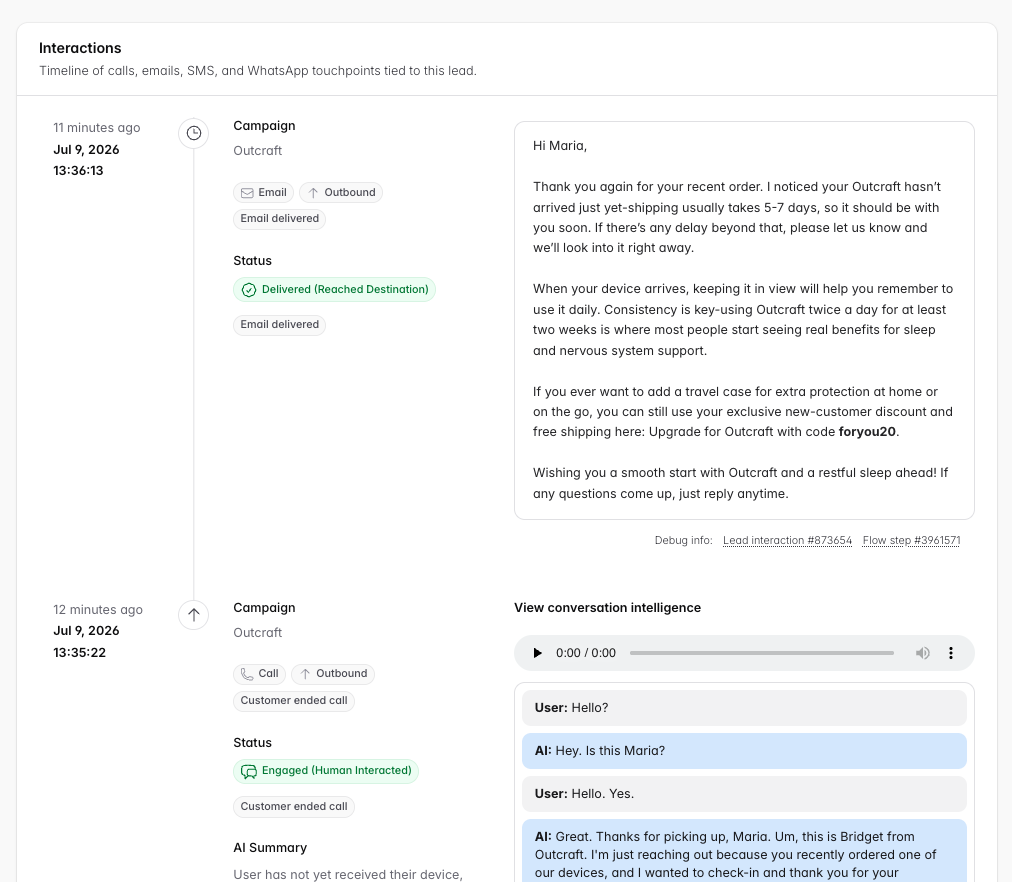
Each lead has a Lead Details page showing all campaigns, statuses, outcomes, and interactions for that lead across your account — including name, contact info, Country (inferred from phone country code), and Timezone (inferred from area code).
Campaign Runs
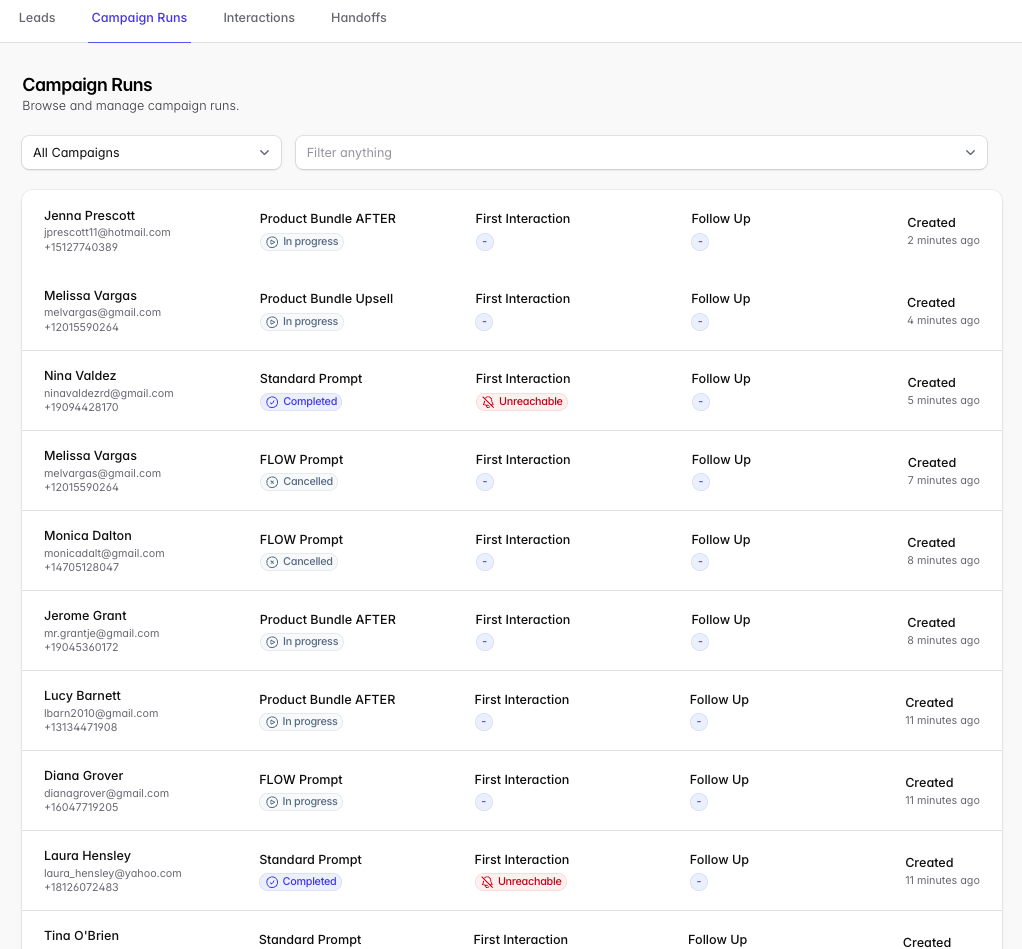
app.outcraft.ai/lead-campaigns shows the current status of leads on their campaigns — which campaigns each lead is part of, the quality of their first interaction, and whether they’ve had follow-up communication. Use filters to organize results; click a lead to open Lead Details.
Interactions
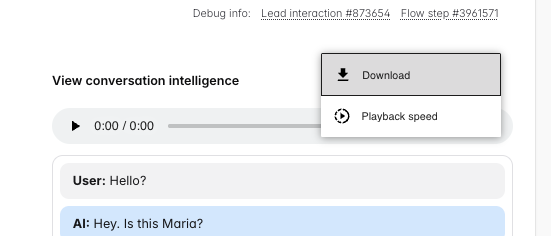
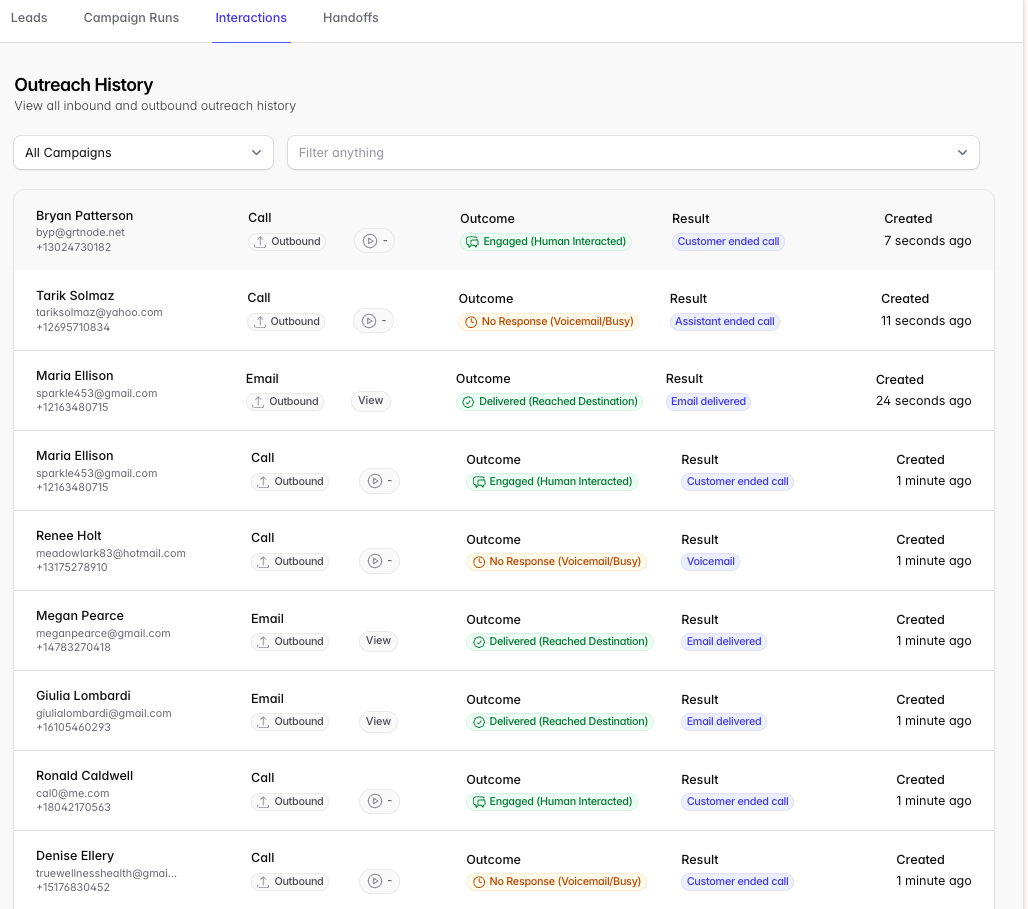
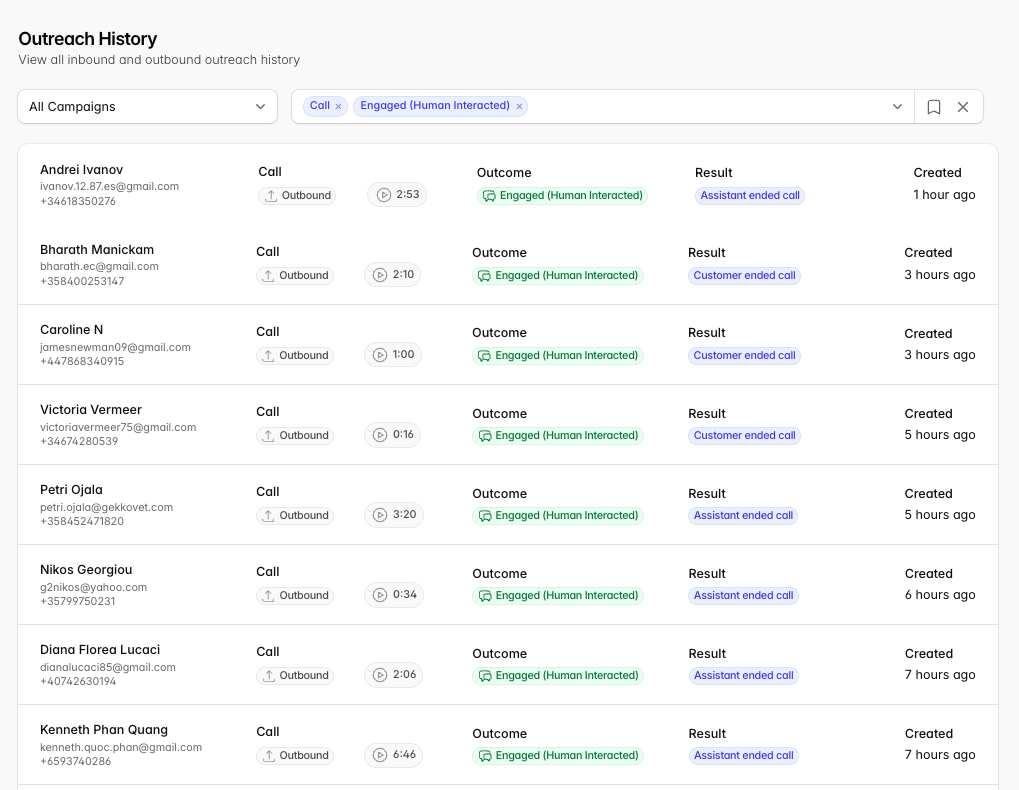
app.outcraft.ai/outreach lists every outreach. Phone recordings, transcripts, and links used are available, and any technical issues with an outreach are described here.
Filter by:
Channel
Call
SMS
Email
Direction
Outbound
The agent made sent the first message
Inbound
The lead contacted us first
Outcome
Delivered (Reached Destination)
The text communication reached its destination
Engaged (Human Interacted)
The phone call successfully interacted with a person.
No Response (Voicemail/Busy)
The phone call did not receive a response, or left a voicemail message.
Failed (Technical Issue)
There was an error on the Outcraft side to complete the call, or the phone number did not exist.
Status
Customer Busy
The phone line was busy.
Customer Did Not Answer
The call was not connected and not voicemail box was available
Voicemail
The agent received a voicemail message or attempted to leave a message.
Assistant Ended Call
The agent ended the call.
Customer Ended Call
The call recipient ended the call.
Silence Timed Out
The call recipient did not or could not speak and the agent stopped attempting to engage.
Exceeded Max Duration
The conversation took longer than 10 minutes and the agent ended the call.
Email delivered
The email was successfully to the mailbox
Email bounced
The email was rejected by the mailbox.
Email opened
The lead opened the email sent by Outcraft
Email link clicked
The link embedded in the email was clicked by the lead.
Sms Sent
The SMS/text message was success fully sent from Outcraft servers.
Sms Delivered
Outcraft received confirmation the SMS was delivered to the lead.
Sms Undelivered
The SMS was not received by the lead. Most often caused by lack of A2P registration. → Configuring Outreach Channels
Sms Link Clicked
The lead clicked on the shortened link provided by Outcraft in the SMS.
Interaction FAQ
What counts as an Engaged interaction? The lead speaks with the agent for at least 45 seconds.
What happens if someone doesn’t pick up? The agent attempts to leave a voicemail. A voicemail is not a human interaction, so the campaign flow continues.
What if someone doesn’t want to be contacted anymore? The lead is no longer contacted for this campaign. Be sure to reflect the request in your CRM or integration source too.
Why doesn’t the transcript match the audio exactly? Live conversation and transcription are handled by different systems. Proper names, brands, and certain accents may transcribe incorrectly even though the audio is accurate.
Why does the recording sound awkward on voicemail? When the agent detects a voicemail box, it stops the conversation and resets so it can properly leave a message.
Handoff Requests
app.outcraft.ai/handoffs lists interactions where the agent couldn’t answer the lead’s questions or the lead asked for a human. These are also sent by email or Slack, per your campaign settings → General Settings guide.
Click a row to view Lead Details.
Click Resolve to close the handoff.