Using the Custom API as a Lead Source (Abandoned Checkout Events)
Last updated: July 16, 2026
You can use a custom API to trigger lead events in Outcraft. Full reference: developers.outcraft.ai/docs
Create the endpoint
Click + Connect New API.
Create New Endpoint.
Select event type: “Checkout Abandoned”.
Select the number of leads to dispatch per your plan. Each lead dispatch is one person contacted — multiple calls, emails, and SMS in a single flow count as one dispatch.
Click Create.
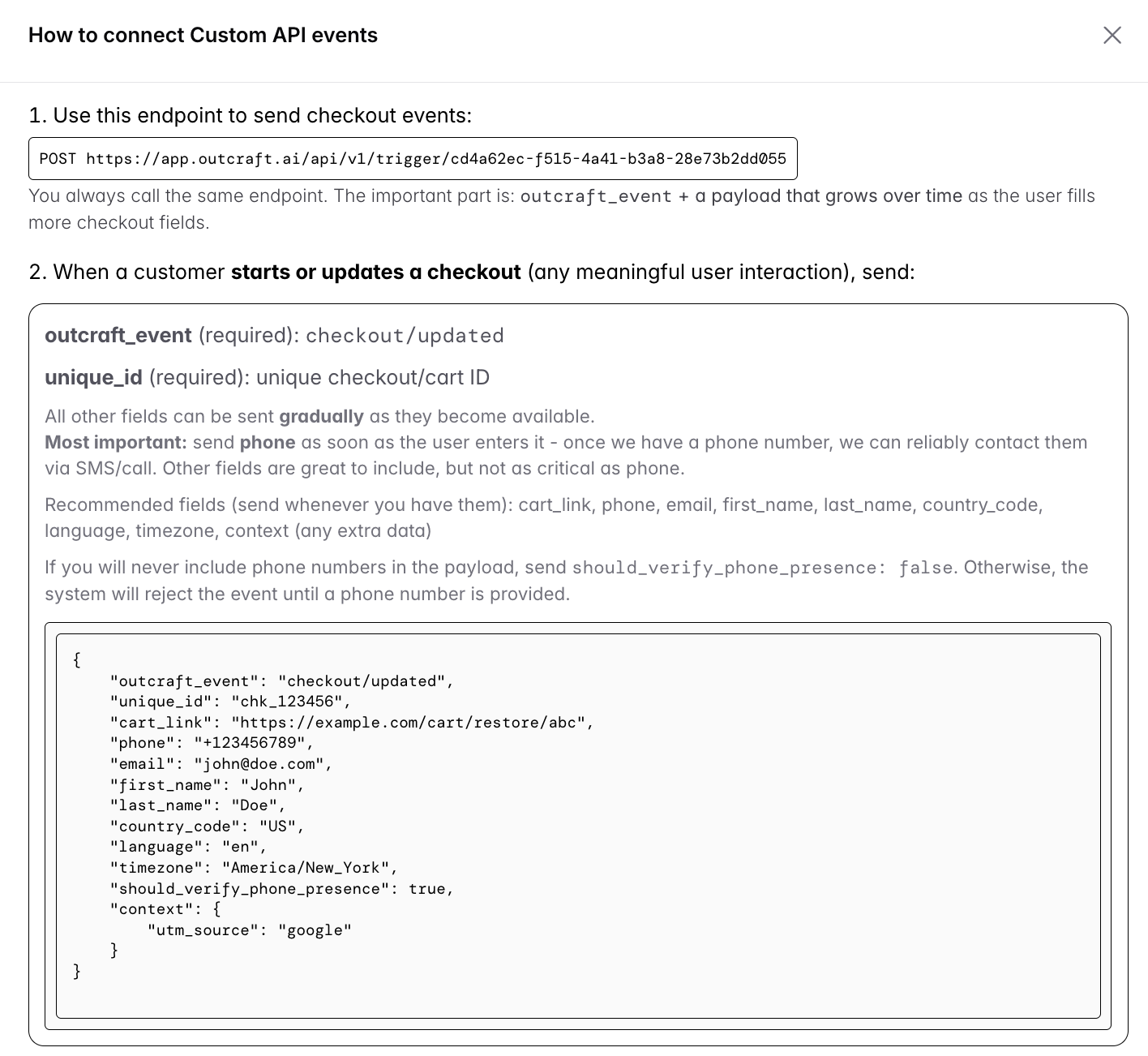
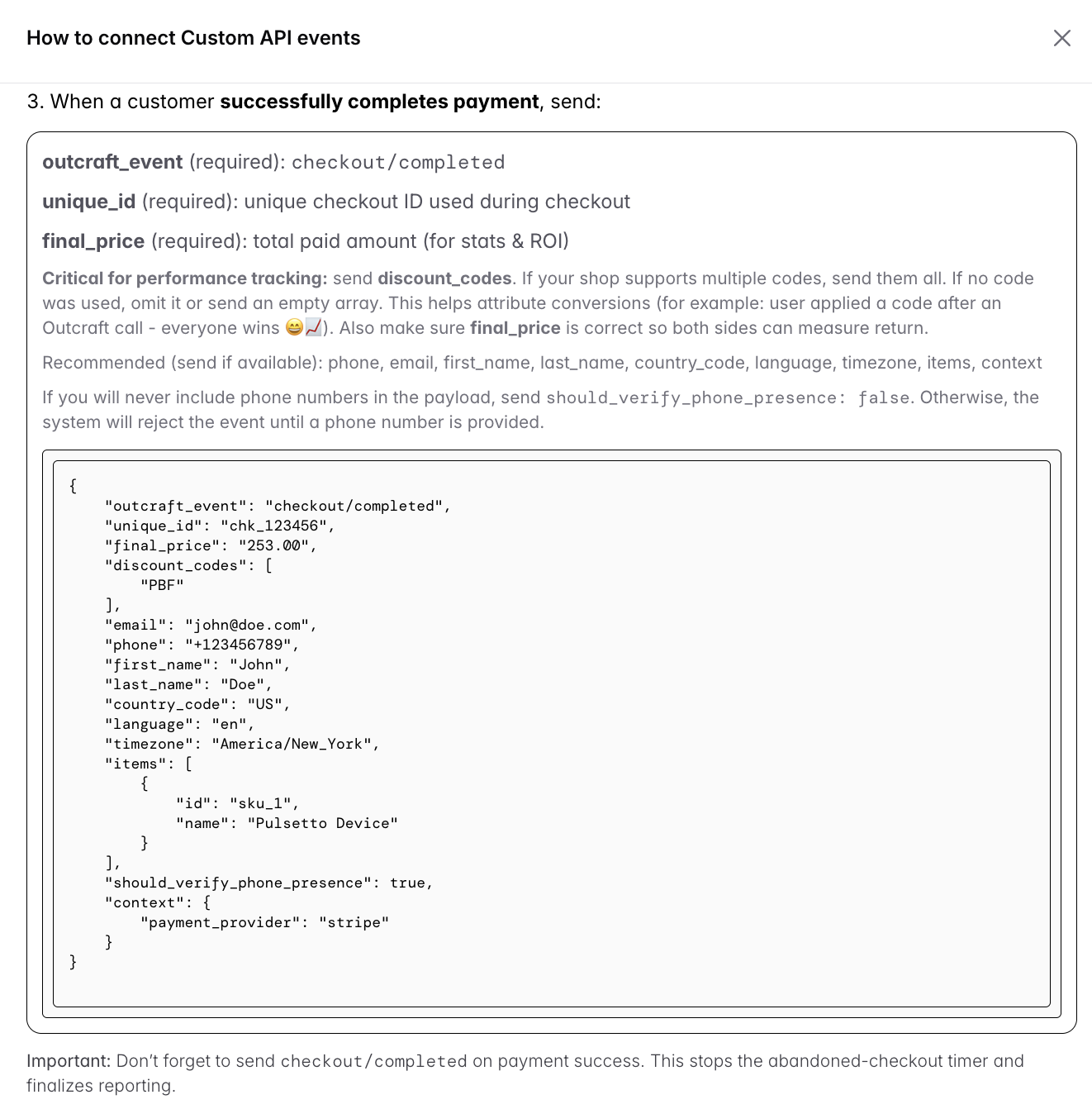
How the integration works
Your backend calls one single endpoint. You tell Outcraft what happened using outcraft_event and keep sending the checkout data payload, gradually adding more fields as the user fills them in.
You only need 2 API calls:
checkout/updated — send whenever anything changes (field filled, next step, shipping or coupon added, first name entered, etc.).
checkout/completed — send once the user buys, so Outcraft instantly stops everything (no timer, no abandoned flow).
Outcraft handles all the logic — when a checkout “starts”, when there’s enough data, all timing, abandonment detection, and campaign triggering.
FAQ
Q: What is “abandoned checkout” in Outcraft? A checkout is considered “started” as soon as the user interacts with it (fills any field, changes any value, etc.). You don’t need to decide when it becomes abandoned.
Q: When do I send checkout updates? Send checkout/updated meaningfully while the user is active — when they finish typing a field, click “next”, change shipping method, apply a coupon, etc. Add a small debounce (3–5 seconds) to avoid spamming on every keystroke. Outcraft handles abandonment timing automatically: once updates stop, a 30-minute counter starts. If there are no more updates, the checkout is treated as abandoned and the campaign triggers.
Q: Is this slow / will it block my checkout? No. Responses are minimal and fast (typically <200ms) with no heavy processing during the request. Send updates in a non-blocking way.
Related
Dynamic cart links via Custom API → How to setup Dynamic Cart Link (unique_id) using Custom API
Duplicating a campaign with a Custom API keeps the same endpoint trigger → Managing Campaigns