Using HubSpot as a Lead Source
Last updated: July 16, 2026
Connect the account
In your campaign’s Lead Source step, connect HubSpot using Administrator permissions.
Start a campaign for a contact
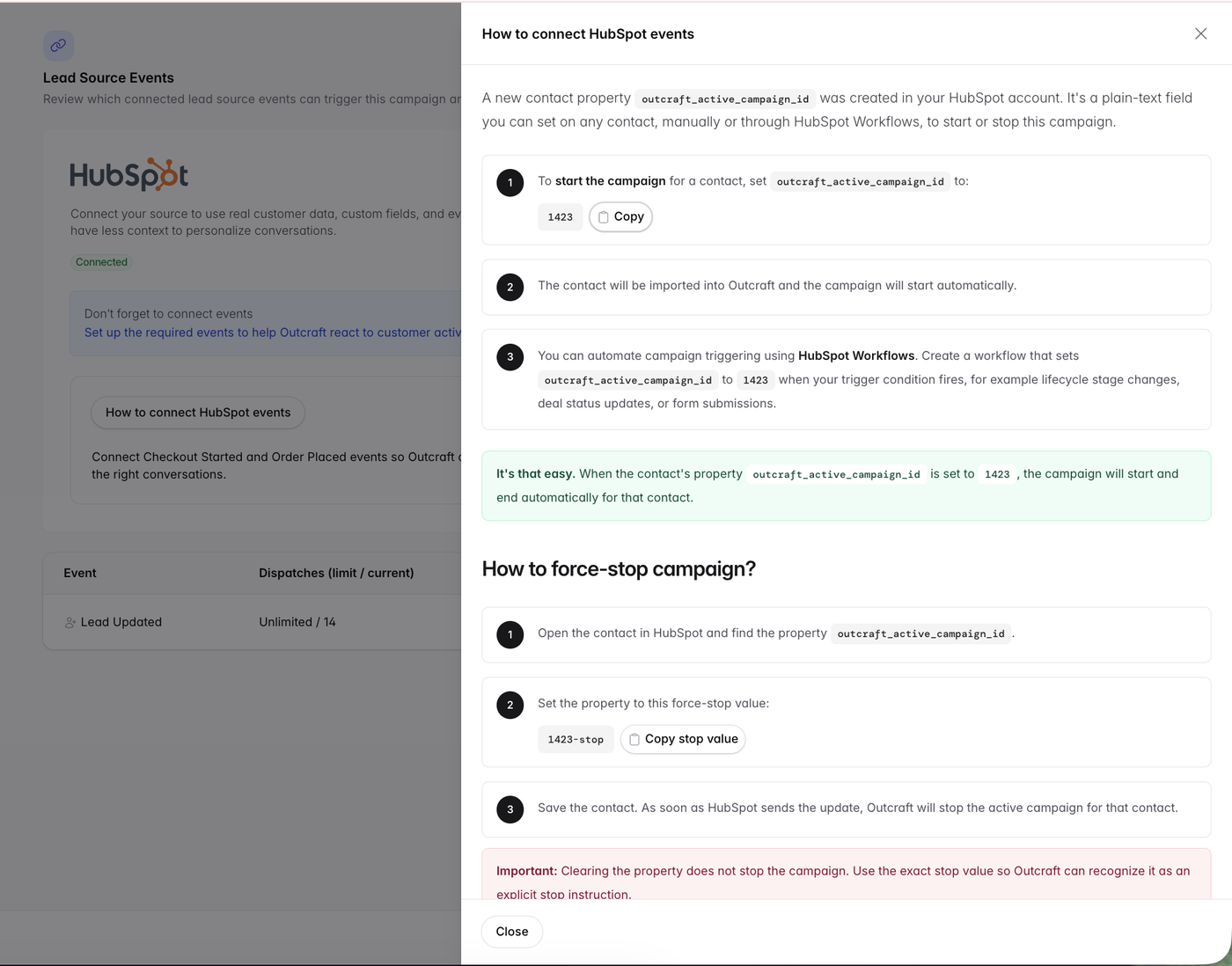
Manually: set
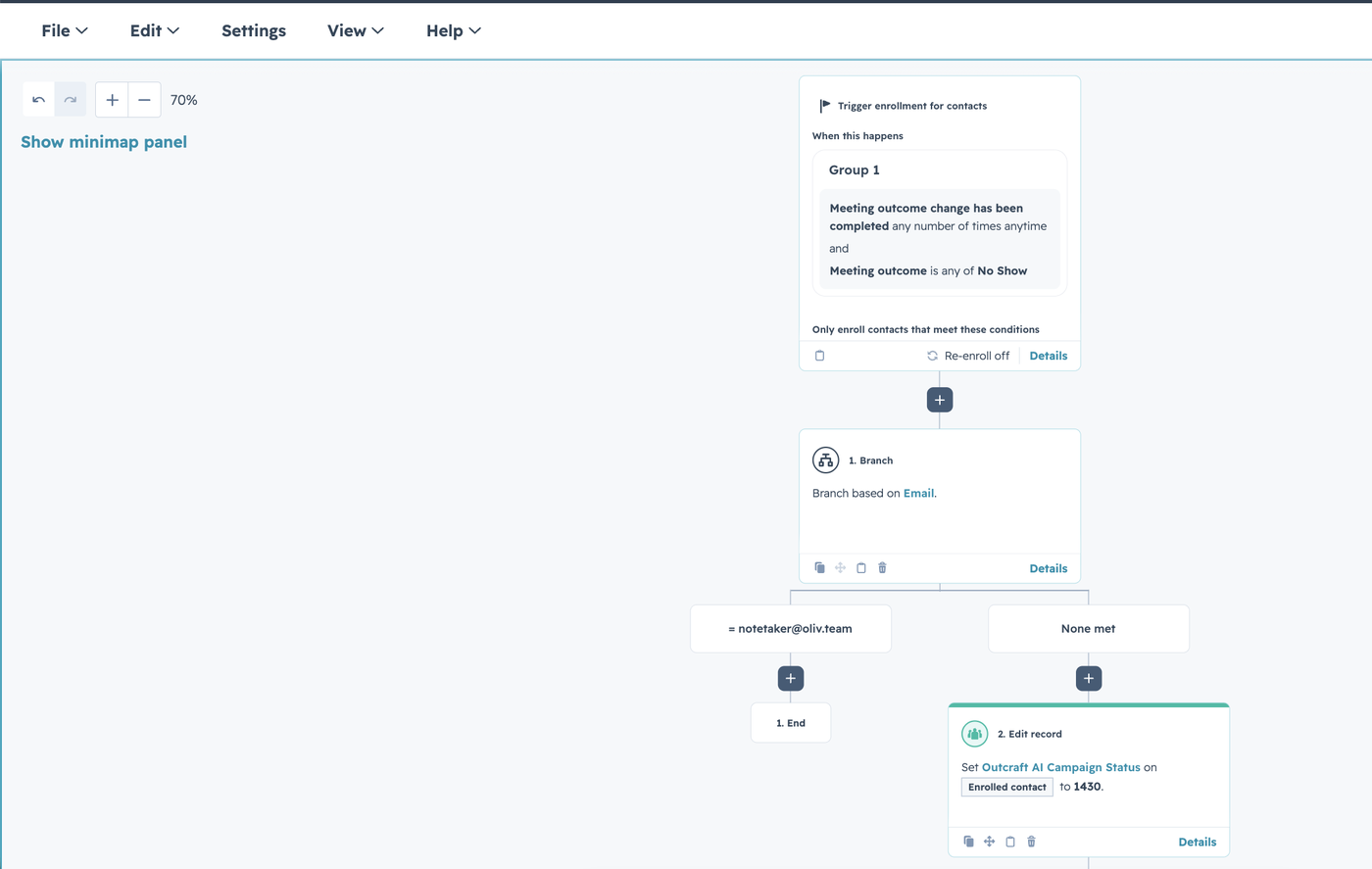
outcraft_active_campaign_idon the contact to the campaign ID shown in Outcraft (use the copy button). The contact imports into Outcraft and the campaign starts automatically.Automated: build a HubSpot Workflow that sets that property when your trigger fires — a lifecycle stage change, deal status, form submission, meeting outcome, etc.
HubSpot Workflow example
Stopping a campaign
Clearing the property does NOT stop the campaign. To force-stop, set the property to the exact stop value (e.g. 1423-stop). Outcraft only treats that exact value as a stop instruction.
Custom property mapping
To bring additional HubSpot contact properties into Outcraft as context for the agent (e.g. a preferred language from a web form), see Mapping Custom Properties from HubSpot & Klaviyo
Related
Using custom fields in your prompt → Writing Your Campaign Brief