Using Klaviyo Flows as a Lead Source
Last updated: July 16, 2026
Klaviyo is a common lead source for e-commerce campaigns. To configure it, you create a Klaviyo Flow for the entire Outcraft flow.
Placement matters: put the Outcraft step at the start of your Abandoned Cart flow. Otherwise, it may take some time for Outcraft to trigger.
Setup
In your campaign’s Lead Source step, click Connect Klaviyo Account (requires Administrator permissions).
Click “How to connect Klaviyo events” — a side panel opens with a video walking through the Klaviyo configuration.
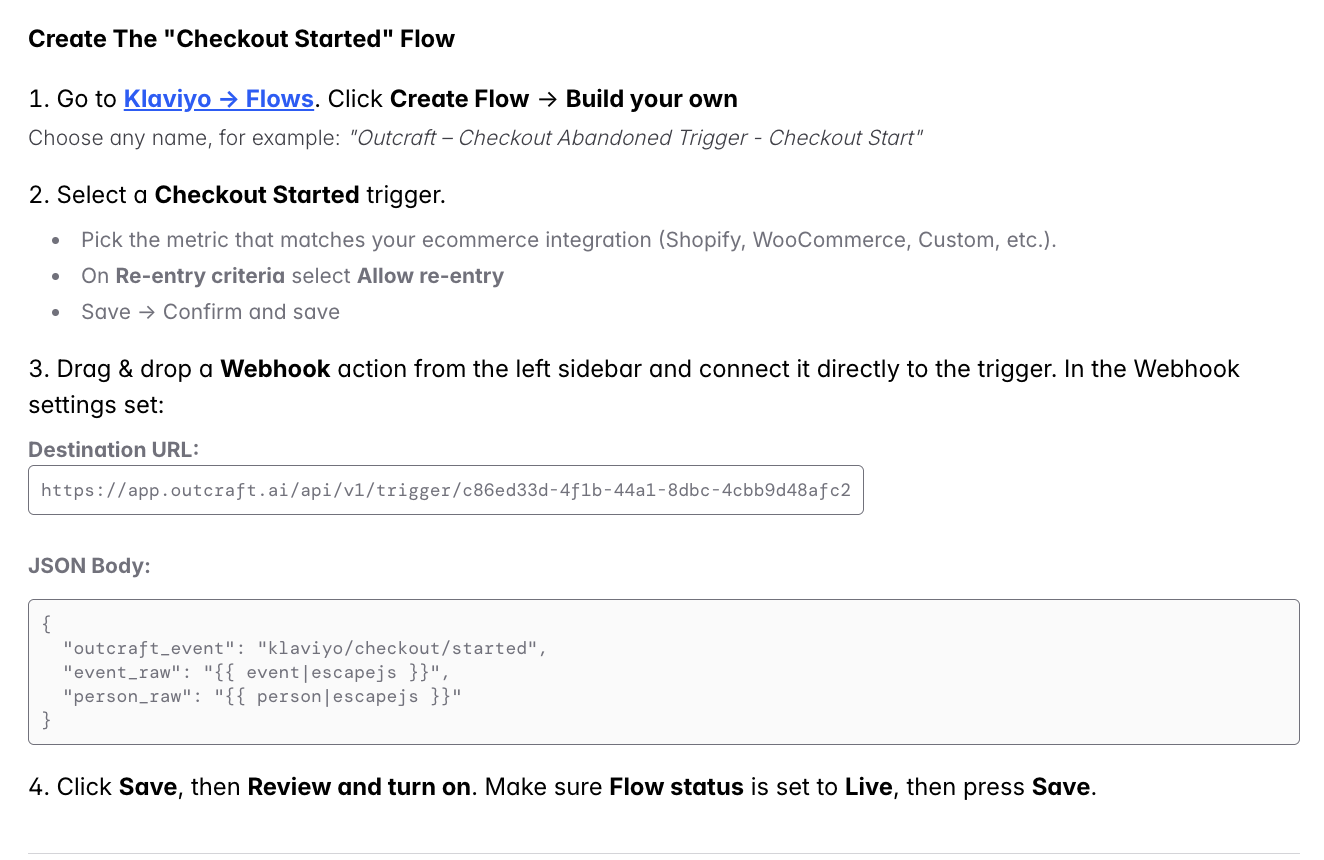
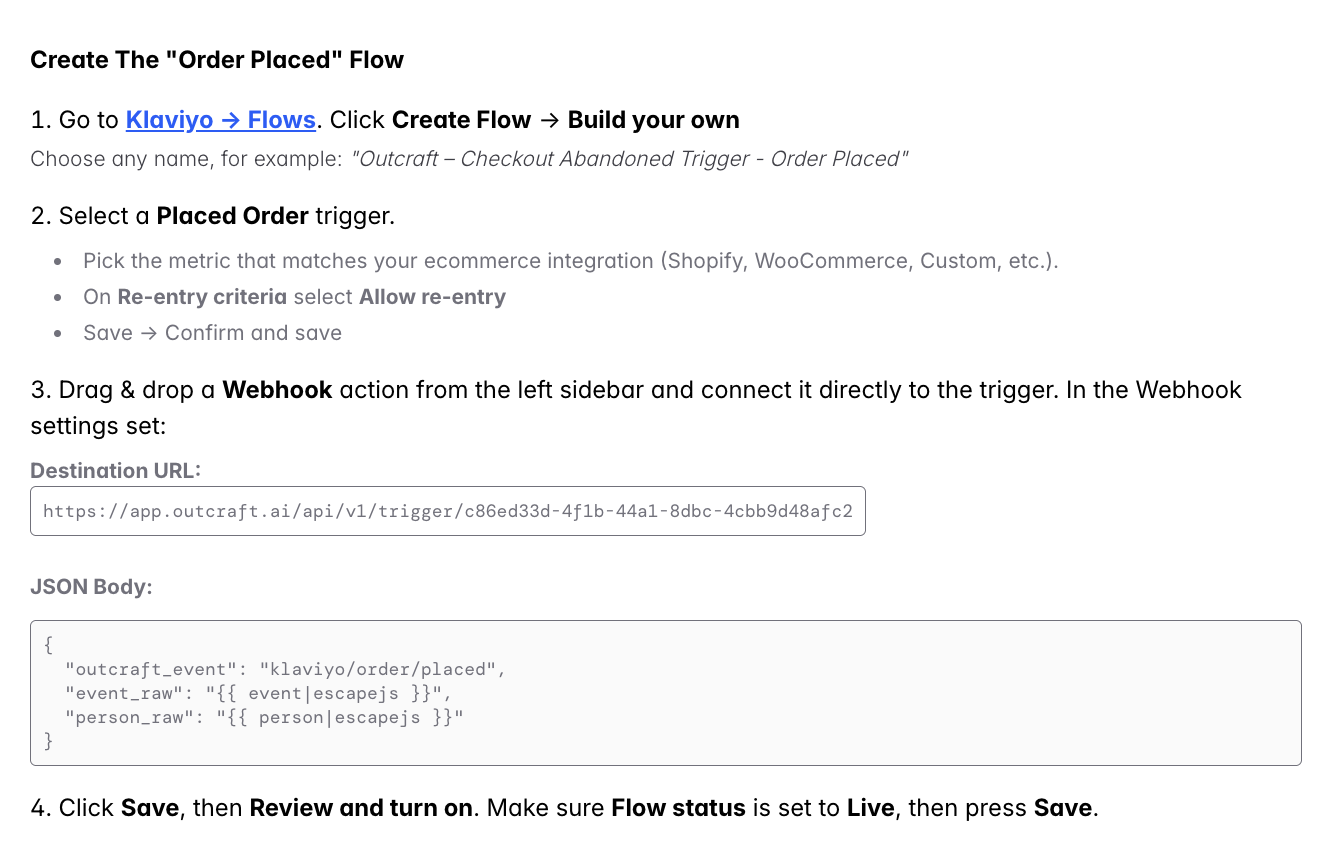
Connect both triggers
Make sure both the “Checkout Started” and “Order Placed” triggers are configured.
Why this matters: the Order Placed event is what tells Outcraft a lead has converted, so it stops contacting them. Without it, the campaign may keep calling and texting people who have already purchased. See also: Why are abandoned cart flows not stopping after a customer makes a purchase?
Custom property mapping
If your Klaviyo properties use non-default names (e.g. your cart URL is extra.checkout_url instead of cart_link), re-map them so Outcraft reads them correctly → Mapping Custom Properties from HubSpot & Klaviyo
Related
How conversions are tracked → Klaviyo integration: how are conversions tracked in Outcraft?