Connecting Shopify as a Lead Source
Last updated: July 16, 2026
Prerequisites
An Outcraft AI account with a Recover Abandoned Cart campaign you’re creating or editing
Admin access to your Shopify store
If you use both Shopify and Klaviyo, the system works best connected directly to Shopify, with your Klaviyo flows running separately from Outcraft.
Connect your store
Click + Setup Shopify on this campaign.
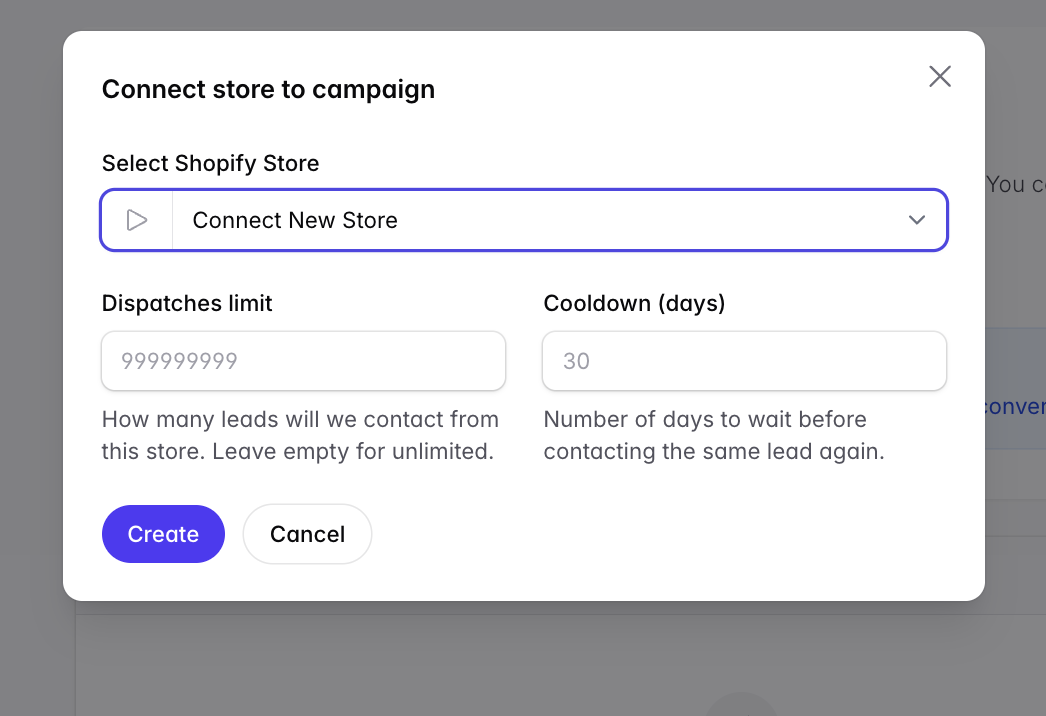
Click Connect New Store.
Select the number of leads to dispatch per your plan. Each lead dispatch is one person contacted — multiple calls, emails, and SMS in a single flow still count as one dispatch.
Select a Cooldown.
Click Connect.
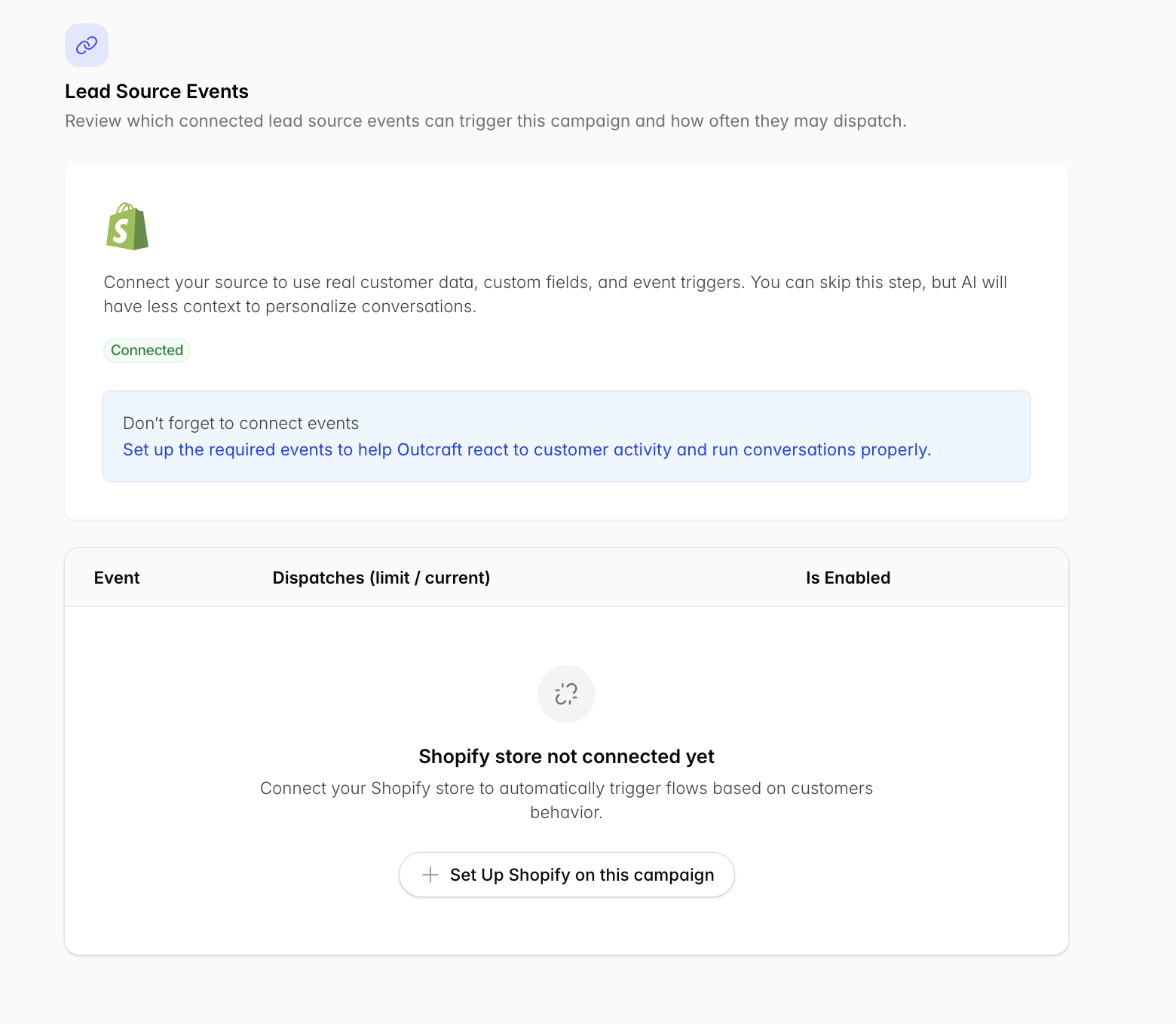
Connect Shopify events
Once connected, also connect Shopify events to Outcraft. This delivers dynamic cart links and additional checkout information, and lets Outcraft stop engaging a lead who has completed a transaction.
Enable all three webhooks on your Shopify account.
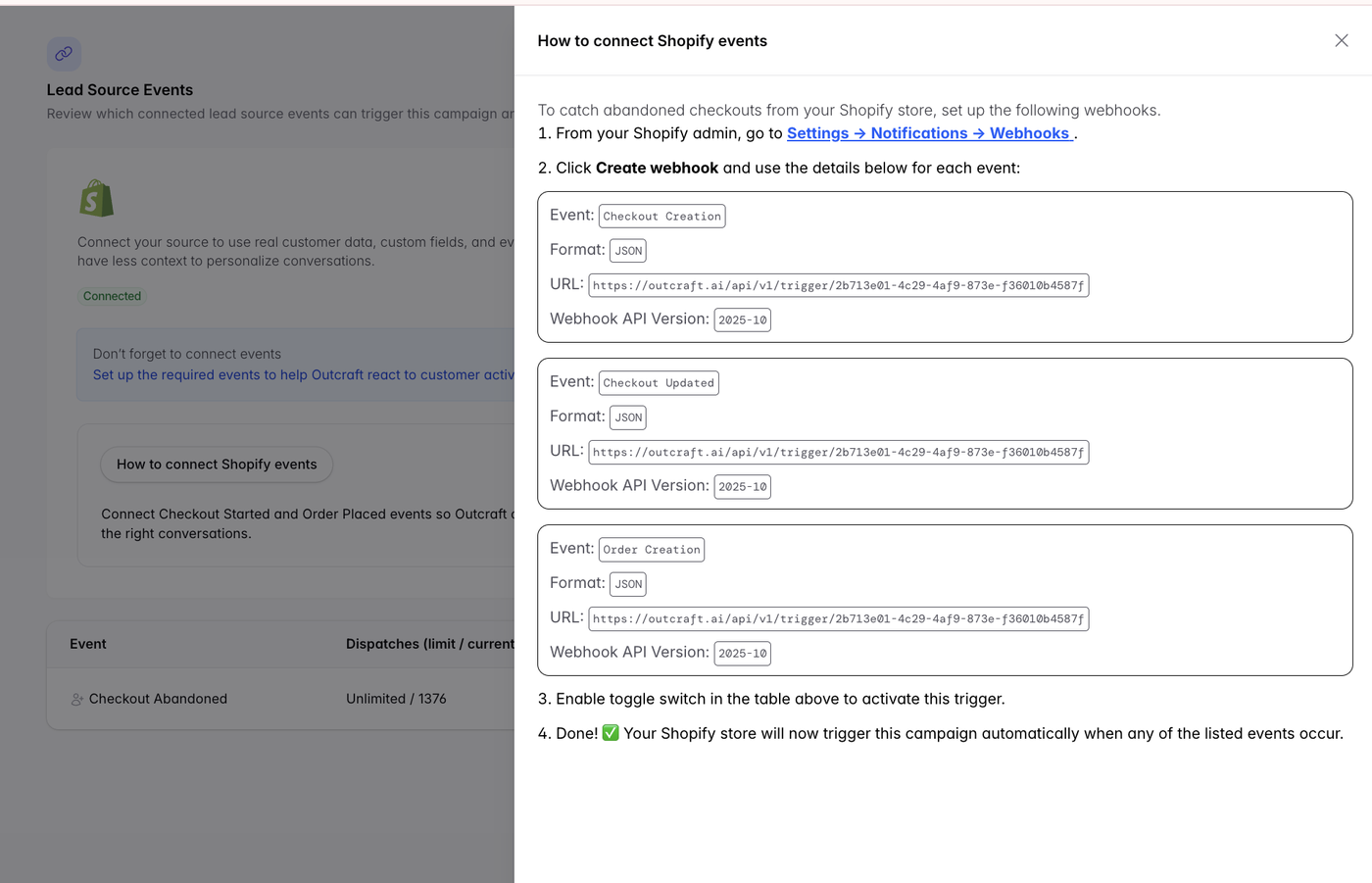
Why the order event matters. The Order Creation (order-placed) event is what tells Outcraft a lead has converted, so it stops contacting them. Without it, the campaign may keep calling and texting people who have already purchased. The same applies to the order-placed trigger on other sources such as Klaviyo.
Related
Full campaign walkthrough → Recover Abandoned Cart Setup Guide
Static vs. dynamic cart links → Recover Abandoned Cart Setup Guide (section 5)
Property mapping → Mapping Custom Properties from HubSpot & Klaviyo